Track and Trace Power BI Reports Documentation
EOID and FID Errors Report
Version: 1, effective date: 22-Feb-2023
Contents
1 Standard description
This document will define the PowerBI report which will help markets/factories to manage their EOID/FID errors. The report will be based on the collected email alerts received from CR in order to ensure proper data quality.
2 Data Source
Data parsed in database TPC from emails received from shared mailbox BUCTRACKT@jti.com .
The following conditions will be used for data extraction for the power bi report:
-
Time filter
-
DateTimeReceived
- Preferred option: last 3 full months of data. For example in April, take full months of: FEB, MAR and APR.
- Minimum option: 30 days of data.
-
-
Only email alerts about EOID/FID which can be filtered in multiple ways:
- Subject like ‘%EOID_FID_NOT_EXIST%’ or Subject like ‘%EO_FACILITY_ERROR%’
- Alert like ‘%EOID_FID_NOT_EXIST%’ or Alert like ‘%EO_FACILITY_ERROR%’)
3 Refresh Schedule
Refresh frequency: Daily

Time zone: UTC + 01:00

Time: 11:00 AM

      13:00 PM

      15:00 PM

      19:30 PM
4 Pages
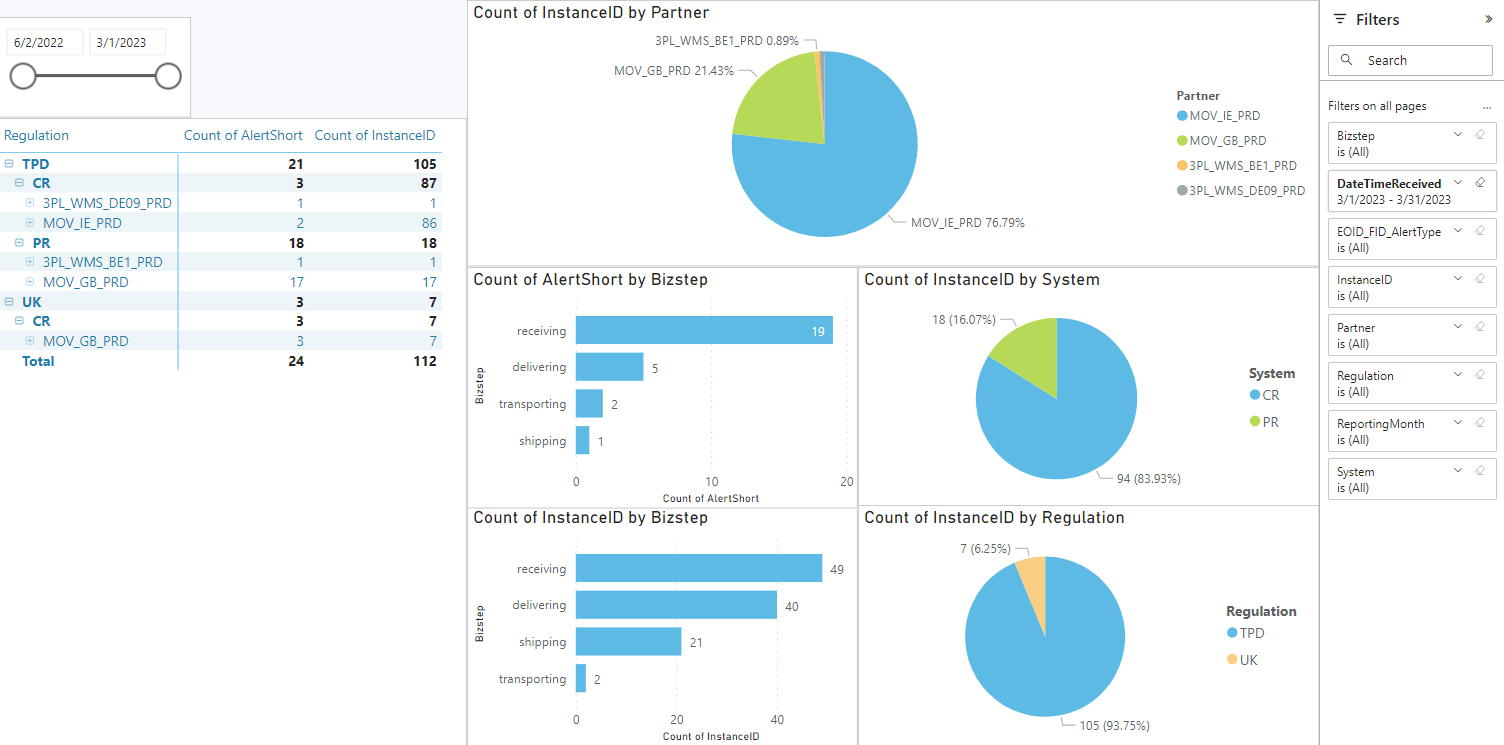
4.1 Mockup GSC
-
Has overall visibility on number of errors per Partner, regulation, system.
-
Can filter data by Partner, Regulation, System, Bizstep and all other fields.
-
Can select the reporting month or split the dateTimeReceived in weekes/days.
-
Can see detailed Alert Long/Short and Instanceid.
4.2 Mockup User
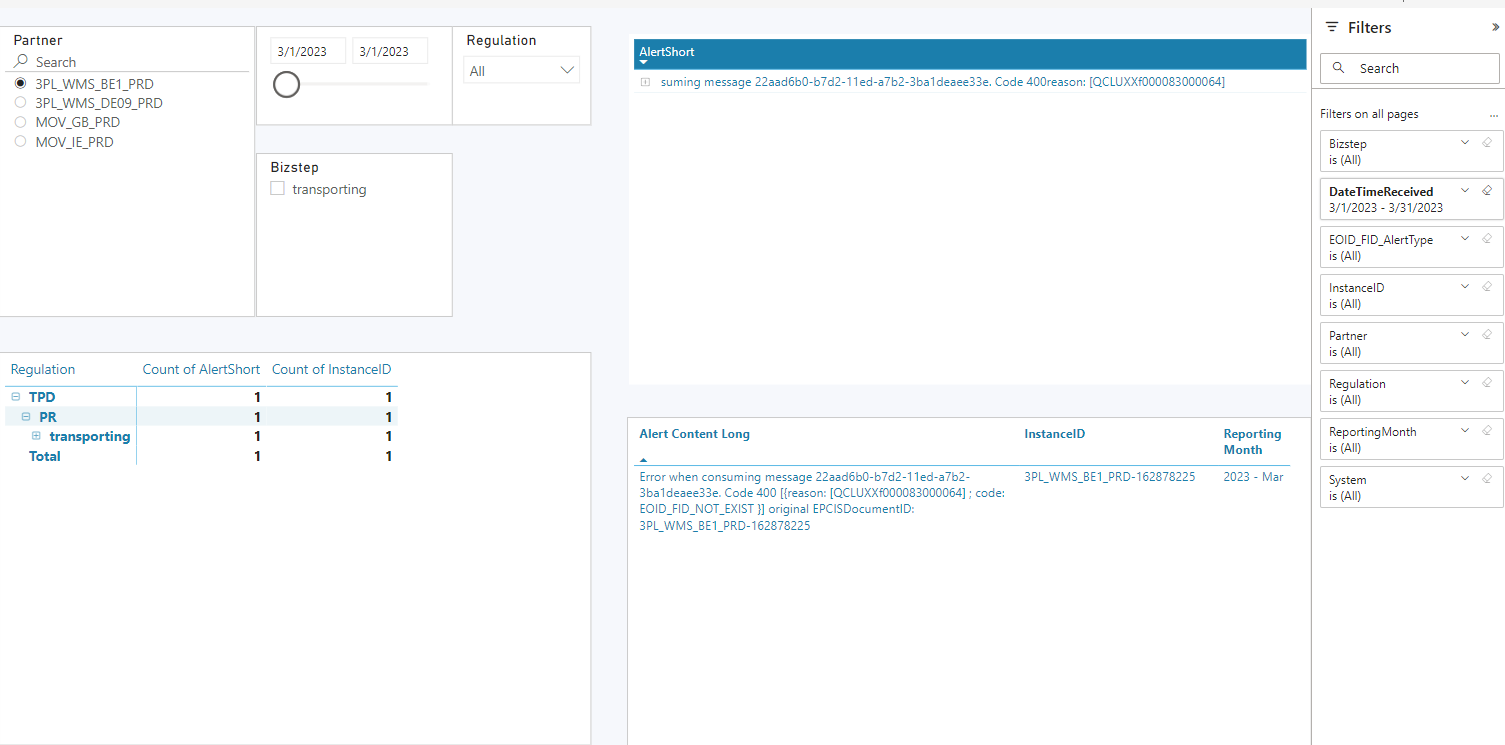
- Can single select the partner to show data for his/her location.
- Same data as for global user filtered by partner selection.
5 Document control
5.1 Contact person
Questions and feedback regarding this standard should be submitted to Alice Galoiu
5.2 Revision History
| Version | Effective date | Purpose of change | Author |
|---|---|---|---|
| 1 | 22-Feb-2023 | First version of the document | Alice Galoiu |
ANY QUESTIONS?