Track and Trace Power BI Reports Documentation /
Pallet Status Report
Version: 1, effective date: 22-Feb-2023
Contents
1 Standard description
This document will define the PowerBI report that is based on data from PR Check Tool, provides the number of products(pallets/MCs) split per type of status (NOK/OK).
2 Data Source
Server “tat-tpc-db-gva-prd.jti.com”, database TPC
-
PrimaryPalletReport: from dbo.PrimaryPalletReport table with column IsActive = 1
-
ReportDailyPRStatus: from dbo.ReportDailyPRStatus table
-
ReportDailySRStatus: from dbo.ReportDailySRStatus table
ITSP
3 Refresh Schedule
Refresh frequency: Daily

Time zone: UTC + 01:00

Time: 11:00 AM

      13:00 PM

      15:00 PM

      19:30 PM
4 Pages
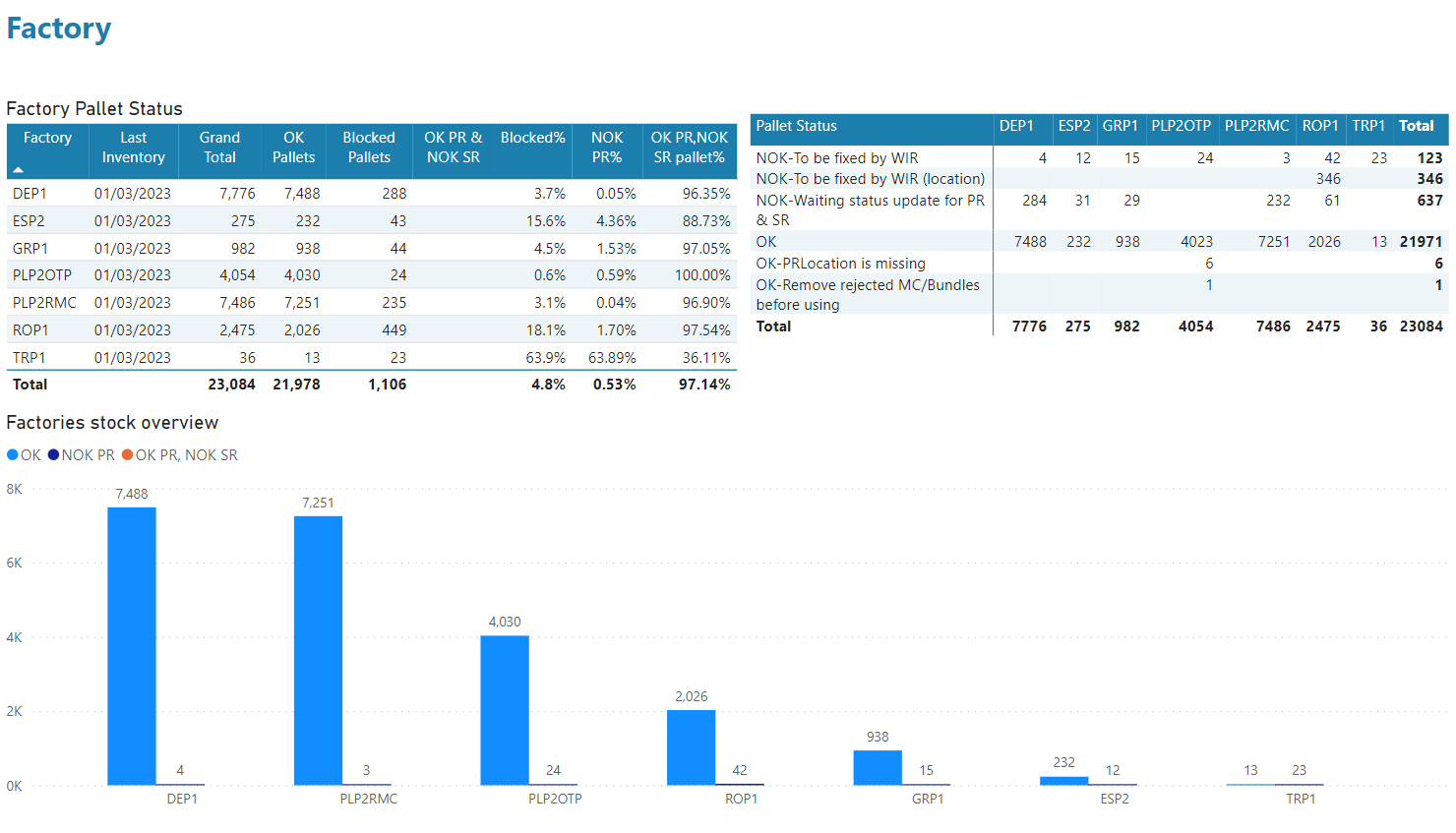
4.1 Factory
This page shows the pallet status for factories.
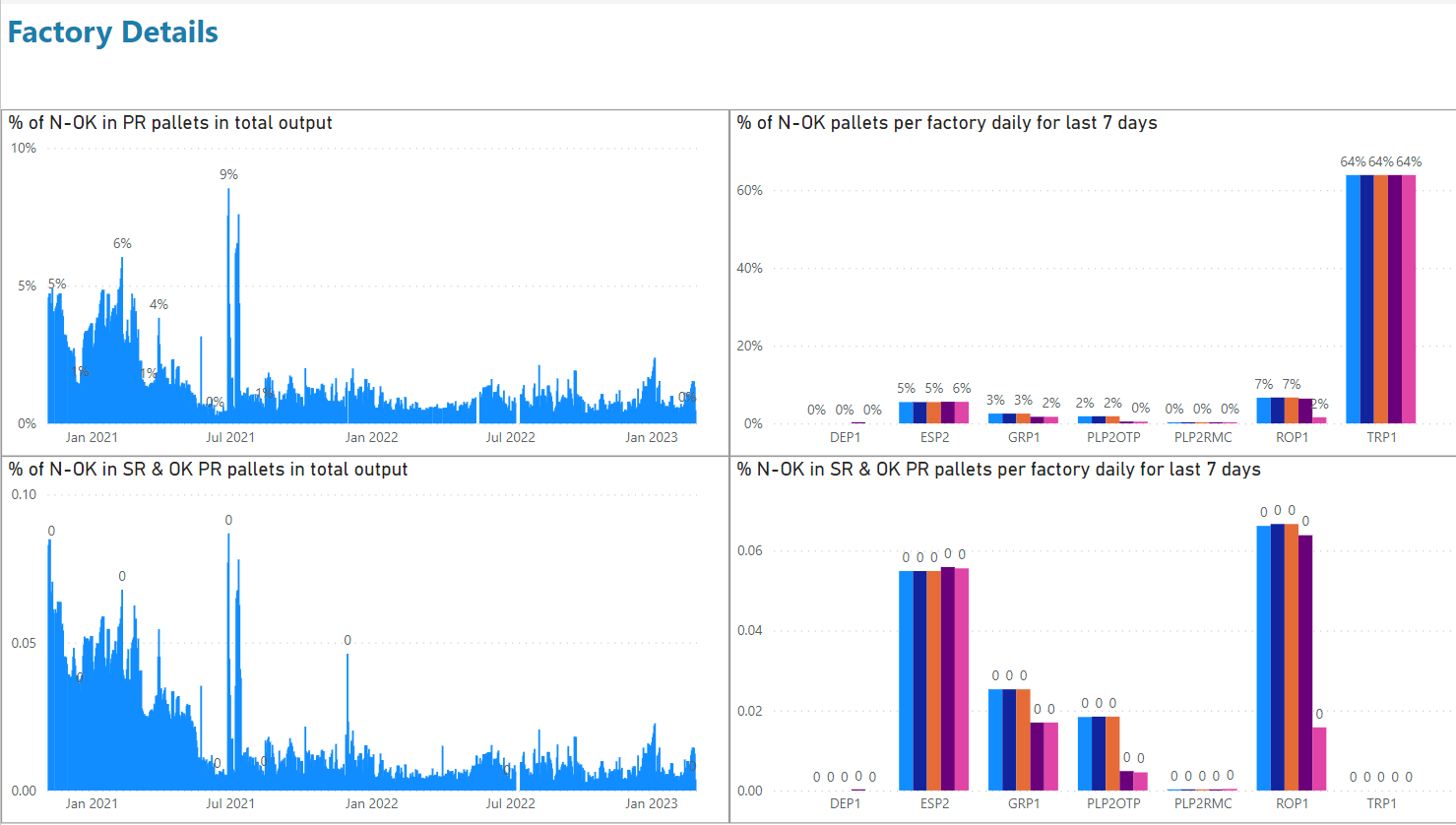
4.2 Factory Details
This page shows the pallet status for factories in details, % of NOK pallets in PR pallets and NOK pallets in SR.
4.3 Factory Output
Currently not available.
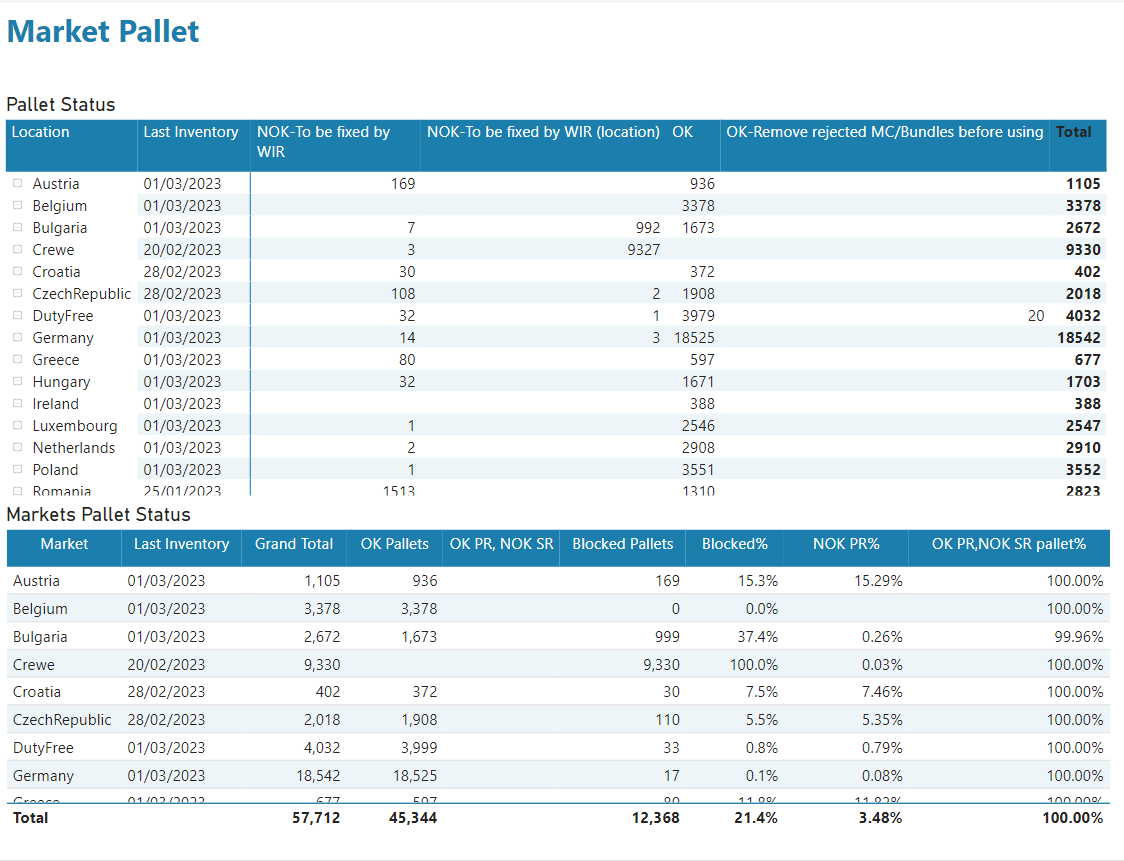
4.4 Market Pallet
This page shows the pallet status for markets and last inventory date.
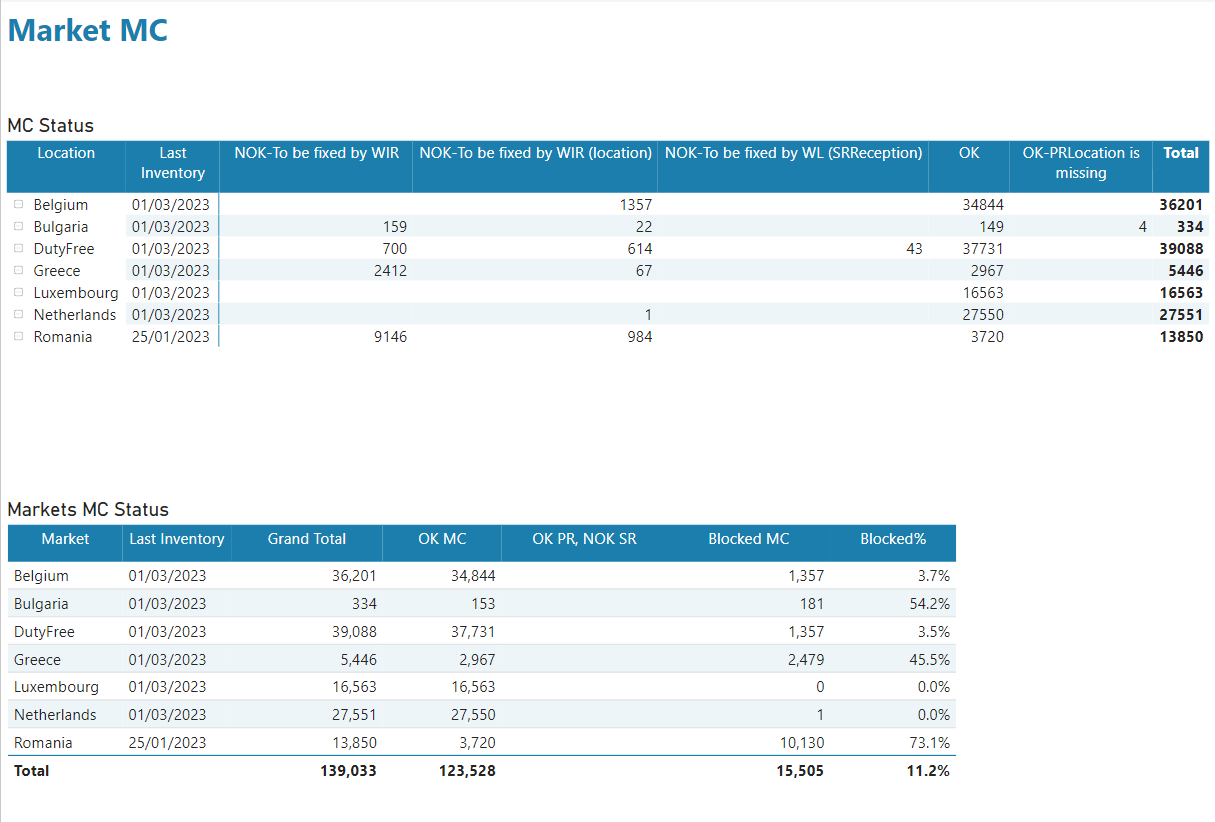
4.5 Market MC
This page shows the MC status for markets and last inventory date.
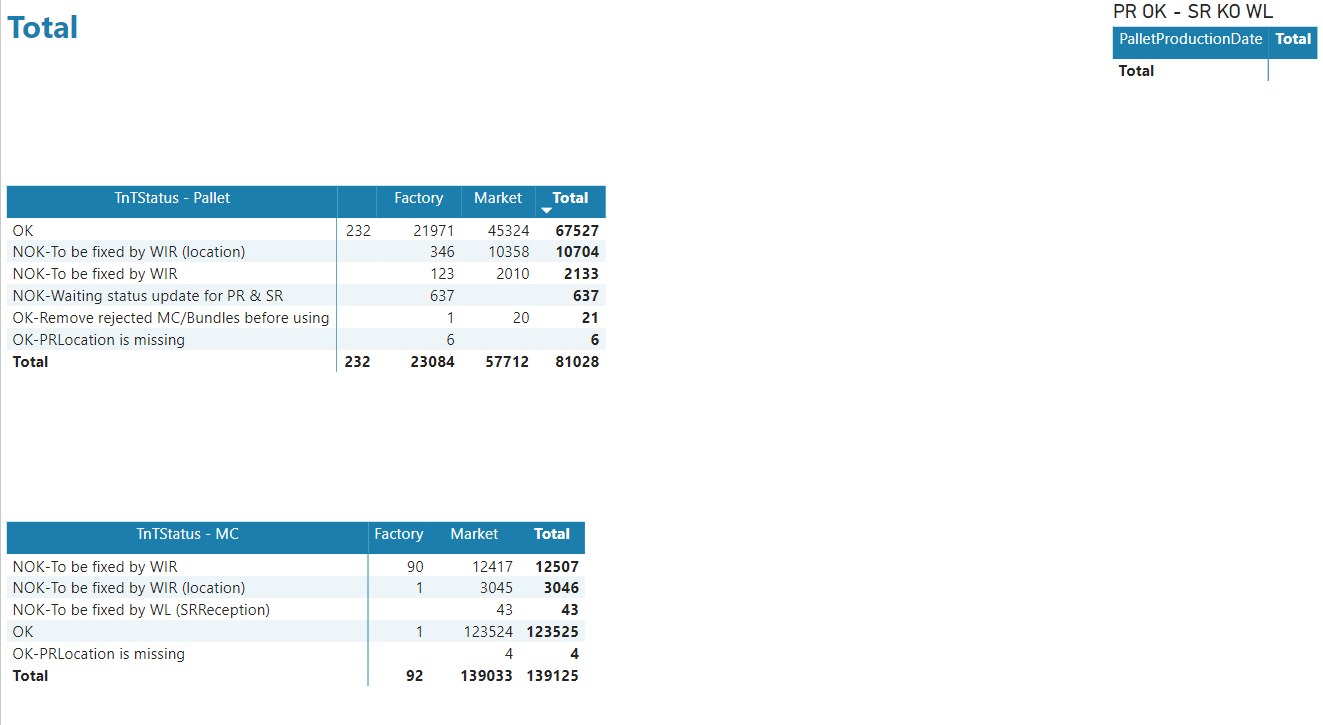
4.6 Total
This page shows the total of pallets and markets by TnTStatus.
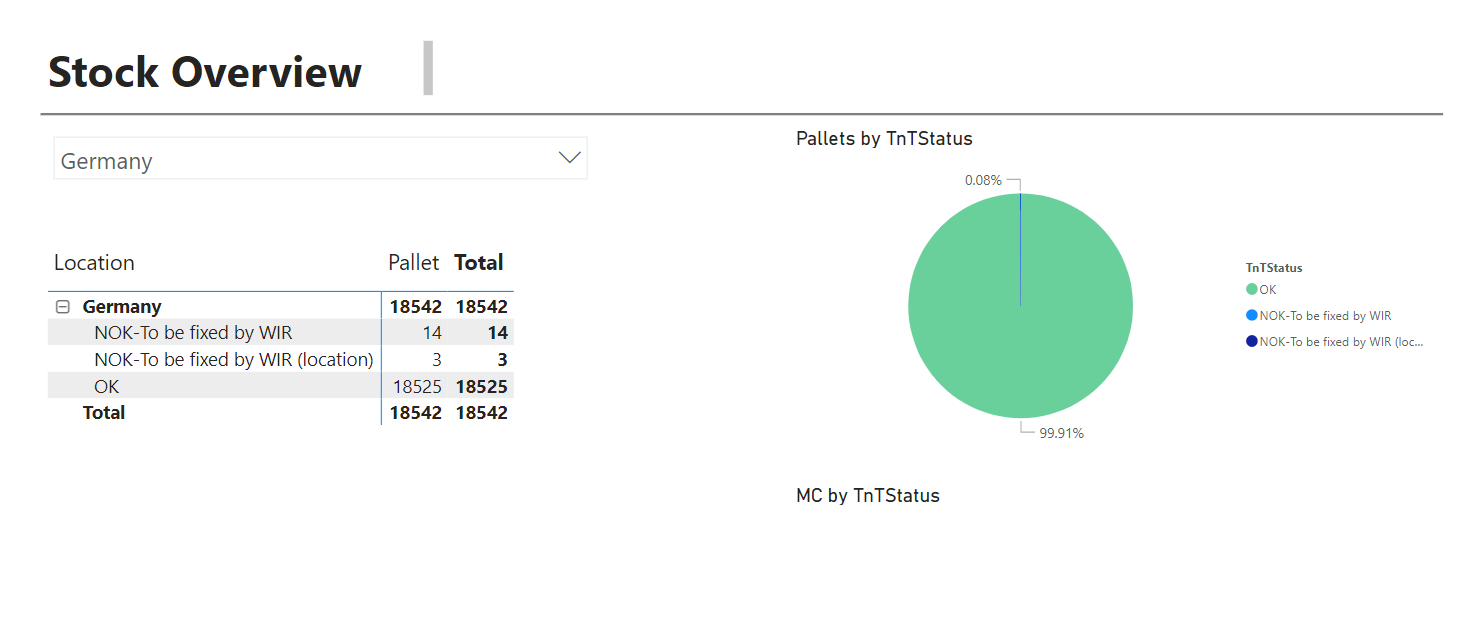
4.7 Summary-ByLocation
This page shows the stock overview by markets and factories grouped by TnTStatus.
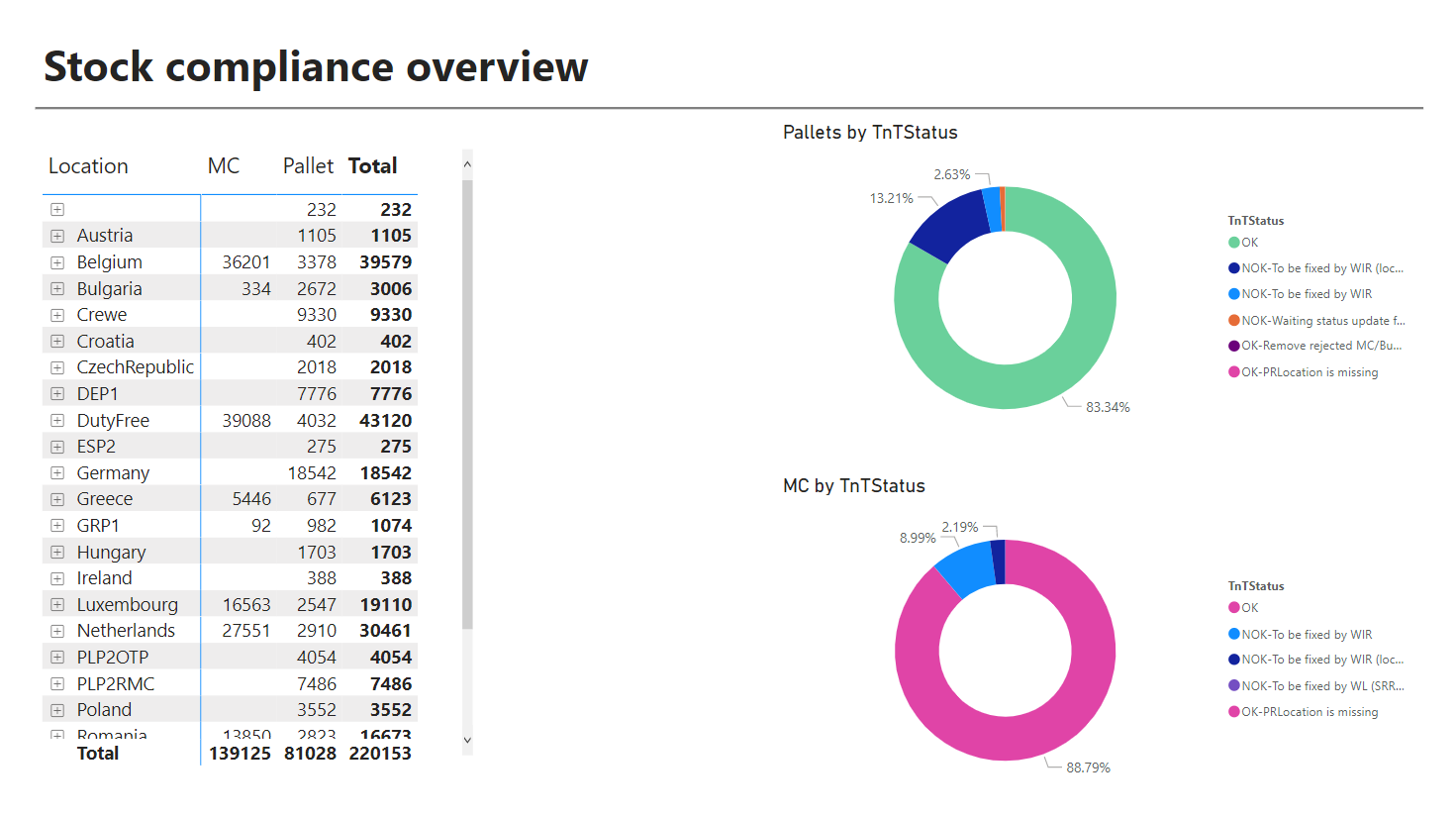
4.8 Summary-All
5 Document control
5.1 Contact person
Questions and feedback regarding this standard should be submitted to Alice Galoiu
5.2 Revision History
| Version | Effective date | Purpose of change | Author |
|---|---|---|---|
| 1 | 22-Feb-2023 | First version of the document | Alice Galoiu |
ANY QUESTIONS?