Track and Trace Power BI Reports Documentation
UK Submission Report
Version: 1, effective date: 22-Feb-2023
Contents
1 Standard description
The document will define the Power BI reports to monitor compliance rates that UK Market has.
2 Data Source
Data parsed in TPC database from emails received from shared mailbox BUCTRACKT@jti.com.
3 Content
There is also a filter for users. It allows them to monitor each user for their compliance. CR doesn’t send notifications for success (200) and warning (299) messages. Only UK Gateway sends.
4 Pages
4.1 Message Details Page
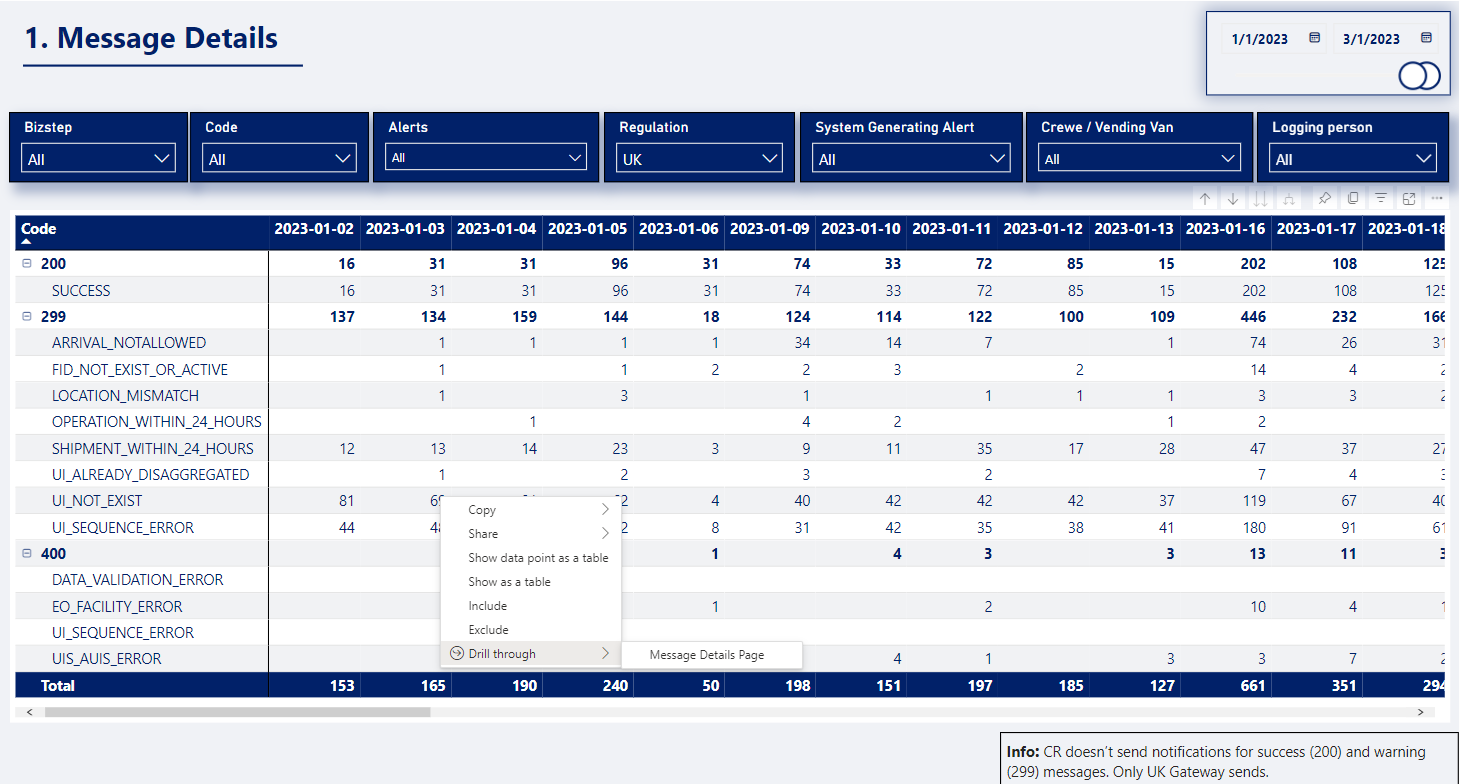
Feature: With Drill through in Power BI reports, you can create a destination target page in your report that focuses on a specific entity, in this case emails. After selecting the desired filters, right-click on the value, select Drill through - Message Details page for a more detailed report.
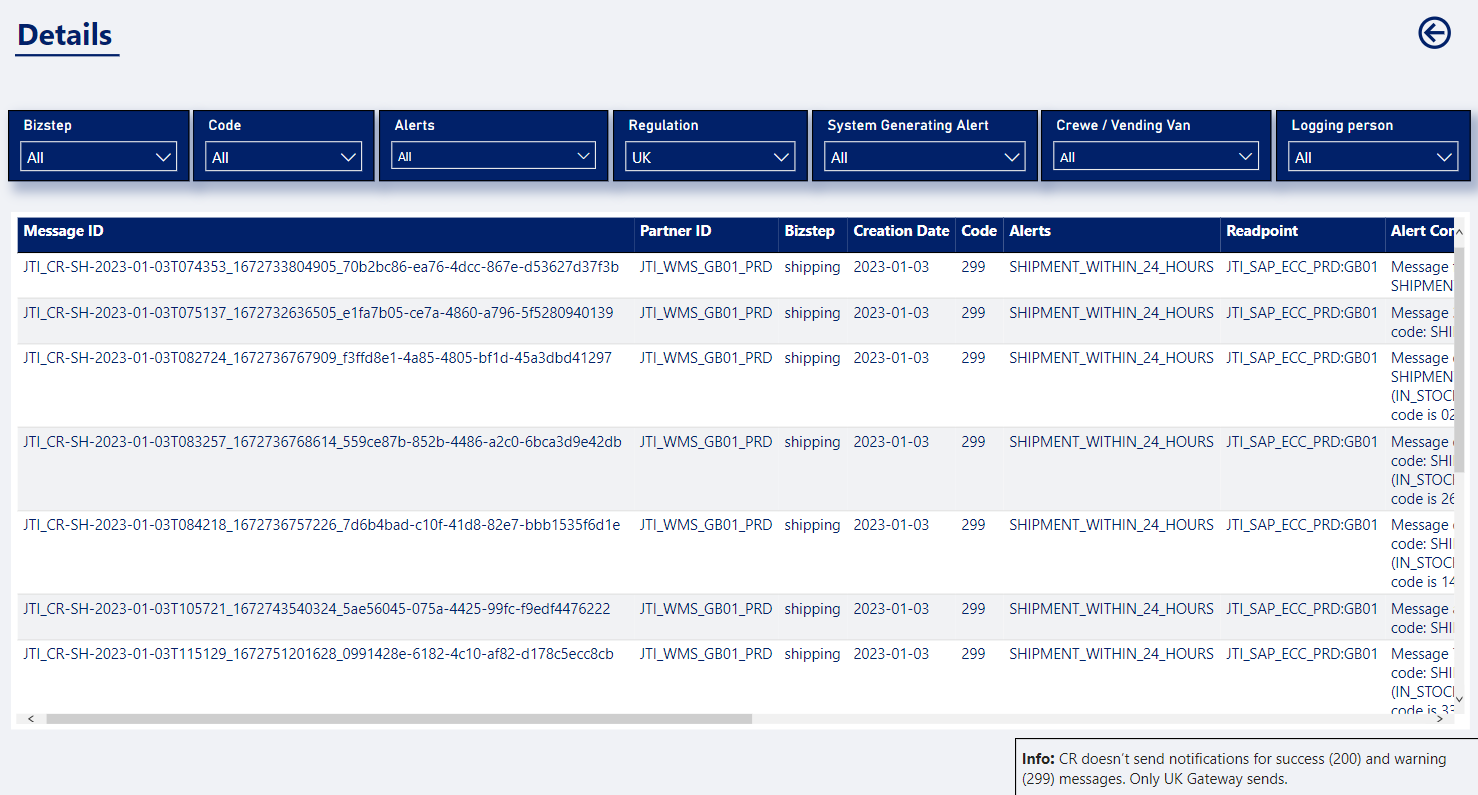
4.2 Logging Person Details
This page shows the table for monitoring all business advisors if they are compliant by bizstep.
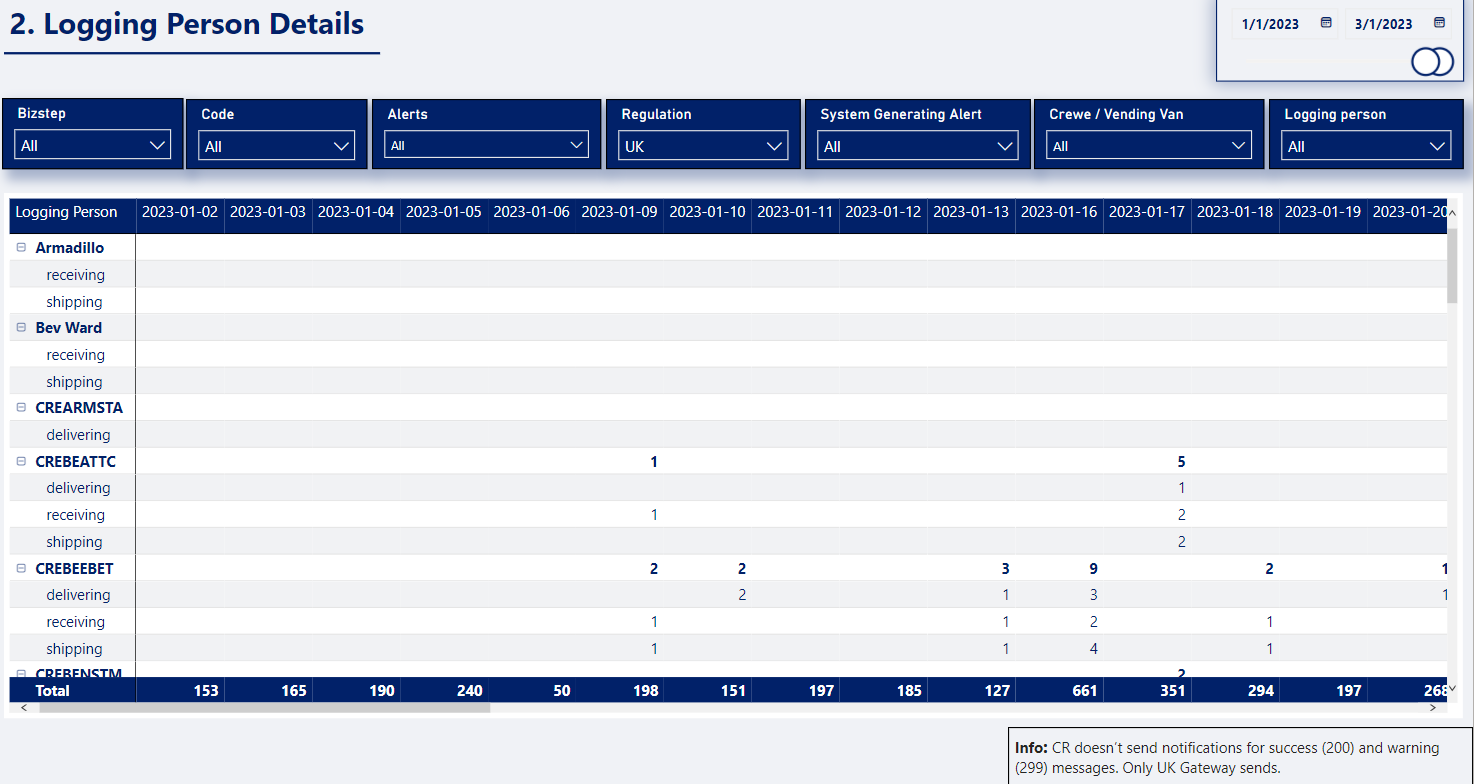
4.3 Summary
All Submitted Messages = (299) Warning Messages + (400) Error Messages + (200) Success Messages
(299) Warning Messages = All messages with Code 299
(400) Error Messages = All messages with Code 400
(200) Success Messages = All messages with Code 200
(200) Success Messages Rate =(200 𝑓𝑟𝑜𝑚 𝑈𝐾 𝐺𝑎𝑡𝑒𝑤𝑎𝑦)/(299 𝑓𝑟𝑜𝑚 𝐶𝑅&𝑈𝐾𝐺+400 𝑓𝑟𝑜𝑚 𝐶𝑅&𝑈𝐾𝐺+200 𝑓𝑟𝑜𝑚 𝑈𝐾𝐺 )
(299) Warning Messages Rate =(299 𝑓𝑟𝑜𝑚 𝑈𝐾 𝐺𝑎𝑡𝑒𝑤𝑎𝑦)/(299 𝑓𝑟𝑜𝑚 𝐶𝑅&𝑈𝐾𝐺+400 𝑓𝑟𝑜𝑚 𝐶𝑅&𝑈𝐾𝐺+200 𝑓𝑟𝑜𝑚 𝑈𝐾𝐺 )
(400) Error Messages Rate =(400 𝑓𝑟𝑜𝑚 𝐶𝑅&𝑈𝐾𝐺)/(299 𝑓𝑟𝑜𝑚 𝐶𝑅&𝑈𝐾𝐺+400 𝑓𝑟𝑜𝑚 𝐶𝑅&𝑈𝐾𝐺+200 𝑓𝑟𝑜𝑚 𝑈𝐾𝐺 )
5 Document control
5.1 Contact person
Questions and feedback regarding this standard should be submitted to Alice Galoiu
5.2 Revision History
| Version | Effective date | Purpose of change | Author |
|---|---|---|---|
| 1 | 22-Feb-2023 | First version of the document | Alice Galoiu |
ANY QUESTIONS?