Tracy Technical Overview
Version: 1, effective date: 01-Dec-2021
Contents
1 Standard description
This document will define the details about Tracy’s overall architecture and give a brief overview of its functions and components.
2 Document objectives and benefits
2.1 Objectives
Objectives of the document are:
-
Details about how Tracy works
-
Details on which environment Tracy operates
-
The installation process step by step guide
-
User permissions and access requirements
-
Integration with other T&T systems
2.2 Benefits
The document is designed to share the technical overview of Tracy with related colleagues and guide future developers on the project as a stepping stone.
3 Definitions
| Abbreviation / Term | Explanation |
|---|---|
| T&T | Track and Trace |
| Tracy | A virtual support agent (Chatbot) which is designed for Track and Trace self-service support |
| Power Virtual Agent | Microsoft Power Virtual Agent is a SaaS offering which a low code/no-code way of building intelligent chatbots. Power Virtual Agents lets you create powerful chatbots that can answer questions posed by your customers, other employees, or visitors to your website or service. |
| SaaS | Software as a service (or SaaS) is a way of delivering applications over the Internet—as a service. Instead of installing and maintaining software, you can access it via the Internet, freeing yourself from complex software and hardware management. |
| Docker | Docker is a software platform that simplifies the process of building, running, managing, and distributing applications. It does this by containerizing the application and its dependencies into a single image. |
| Wrapper | Programs or codes that wrap around other program components. (e.g., If you want to use functions or code blocks of another programming language within a program, you can encapsulate them using a wrapper.) |
Please refer to IT Glossary in the IT P&P portal for further definitions.
4 Roles & Responsibilities
| # | Activity | IT BTS | GDC TT |
|---|---|---|---|
| 1 | Define and maintain standard | A | R / C |
A – Accountable, R – Responsible, C – Consulting, I – Informed
5 Architecture of Tracy
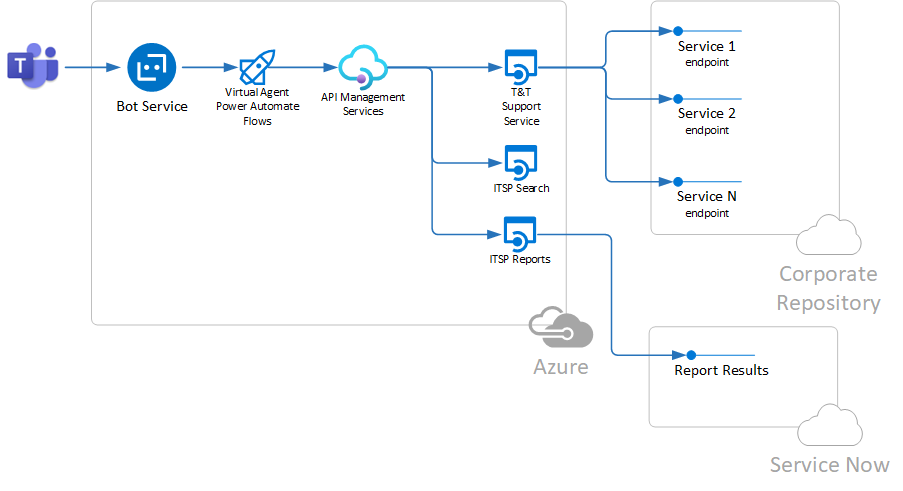
Tracy is a Power Virtual Agent, so it does not contain any business logic inside it except for dialogues. The actual business logic of major services is implemented in backend API. These APIs are implemented using Python, containerized using Docker, and executed run by Azure Web Application.
Resources allocation for the Tracy backend APIs was followed by the change request CHG203995.
Tracy Bot currently is backed by 3 independent services:
-
T&T Support Service - set of services connected to JTI Corporate Repository. This part heavily relies on
CR APIproject, which offers the Python wrapper to JTI CR services -
ITSP Search - service for the full-text search of ITSP resources - Knowledge Base articles, Incidents and Change Requests
-
ITSP Service - service for reporting ITSP Tickets assigned to the user of Tracy.
Each service is represented by a separate containerized service.
The diagram below shows the components of Tracy Bot.
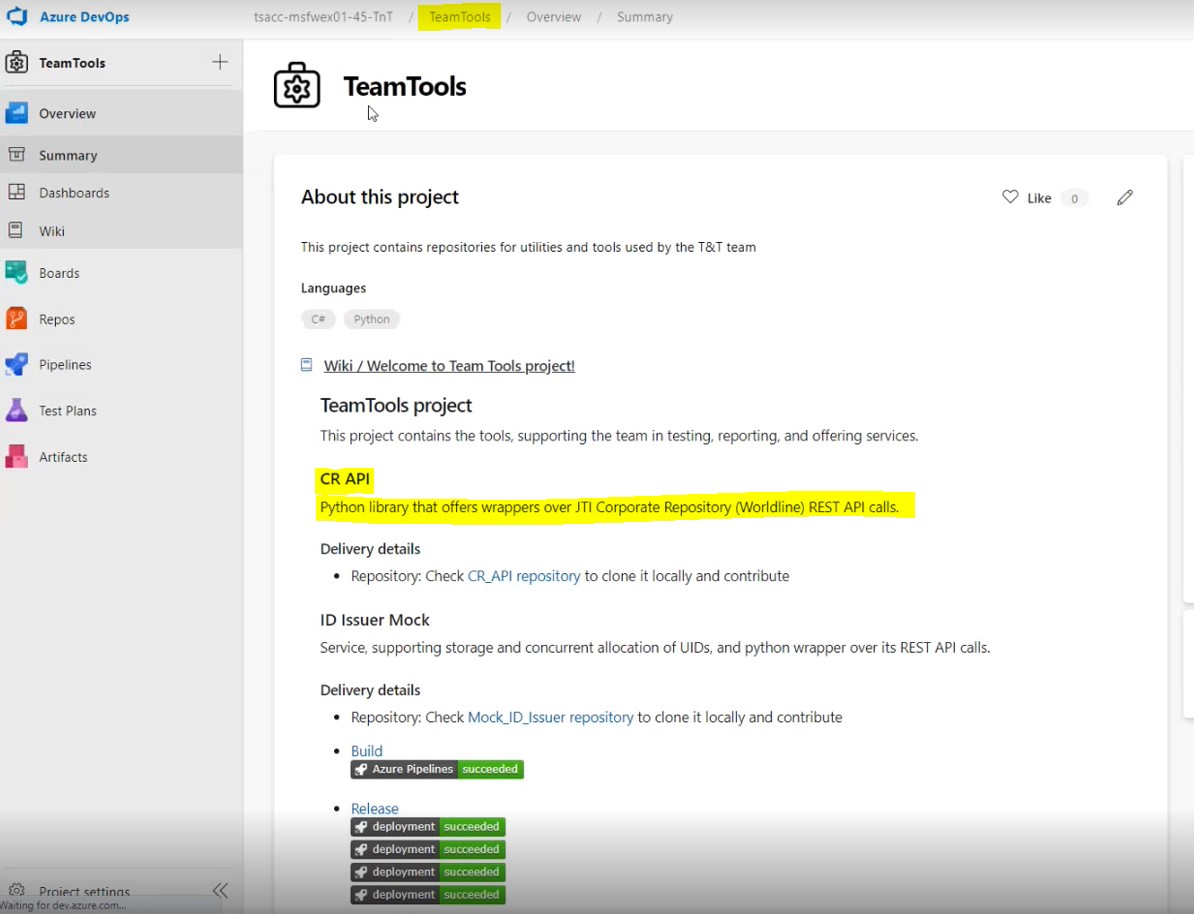
CR API could be observed via Azure DevOps, under “TeamTools” from the section “CR API”. That is basically a set that contains dozens of APIs. They are pretty extended and used in everything that is being done related to connectivity to the corporate repository.
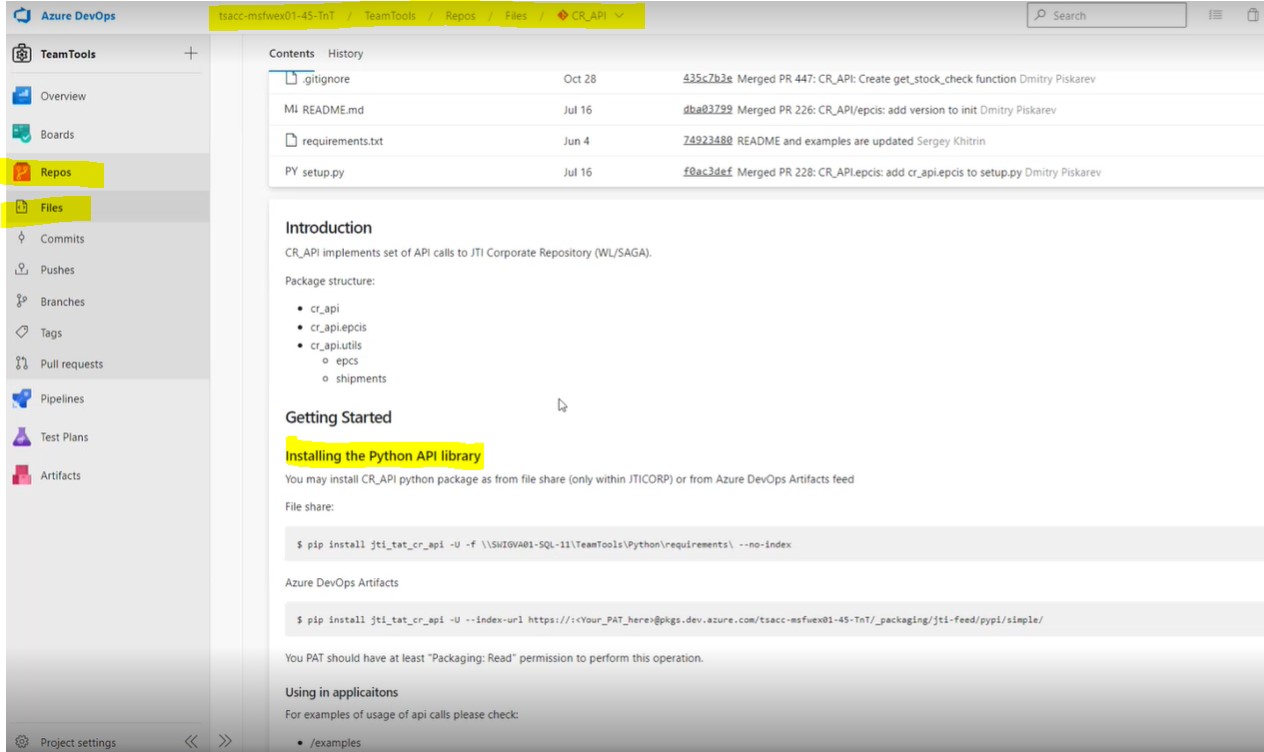
The necessary information to install the packages and APIs are explained in great detail and checked from here.
There is no need for any certificates to reach these APIs. CR API is currently built not to use with certification -endpoints that are bypassing the certification issue are used. Even though it could be arranged to ask for a certificate, it’s been decided not to need it due to not having a purpose of doing so, for now. The code could be analyzed to understand how EPCIS messages work if a product is compliant, and so on.
6 Development Environment
Tracy’s source code repository, including service and Docker files, could be reached from Azure DevOps. Its codes are in the “Team Tools” project in Azure.
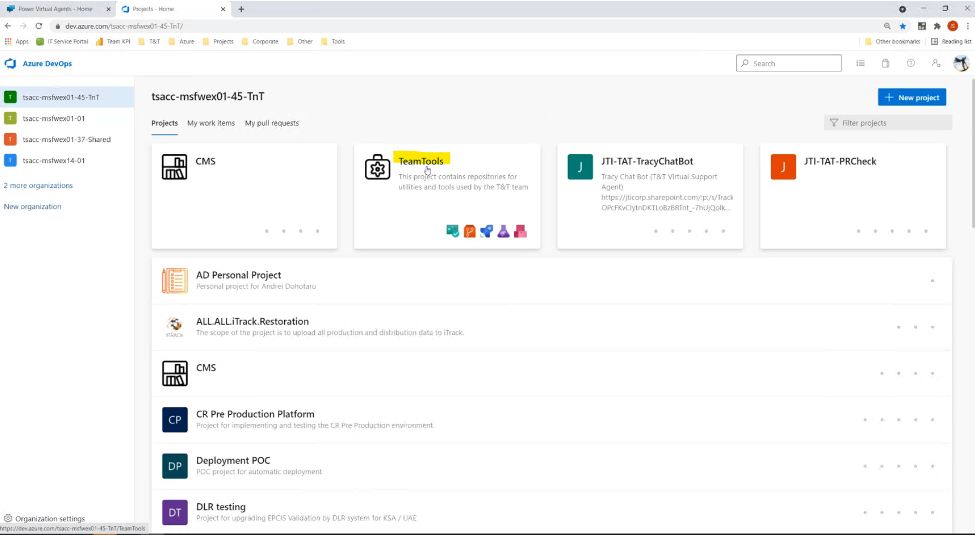
There are few repositories in the Team Tools section. The leading service, which is Tracy’s “brain” lies in the “SupportService” repository.
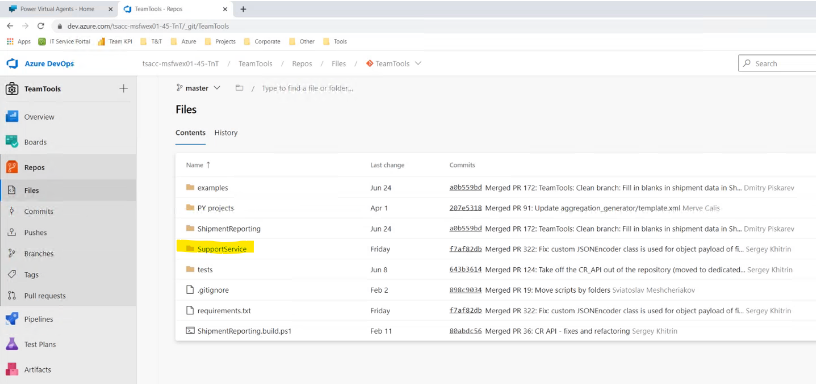
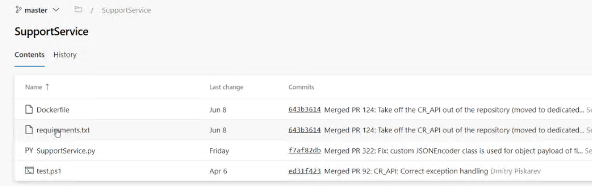
Python codes, docker file, and the requirements can be found from here:
7 Testing
7.1 Automated Testing
The majority of the autotests belong to APIs since they are the core of the functionality. There is no automated testing, particularly for Tracy, but there are other scripts that may support testing of Tracy.
Tests are executed as part of each build. Standard pytest framework is used for building and executing tests.
Powershell is used for simulating the codes and getting the responses using standard types of requests. The main goal of Tracy’s testing process is to make sure that Tracy responds as expected. Before releasing the changes to the end-users for manual testing of the functionality, you can directly chat with Tracy on the Microsoft Virtual Agents platform.
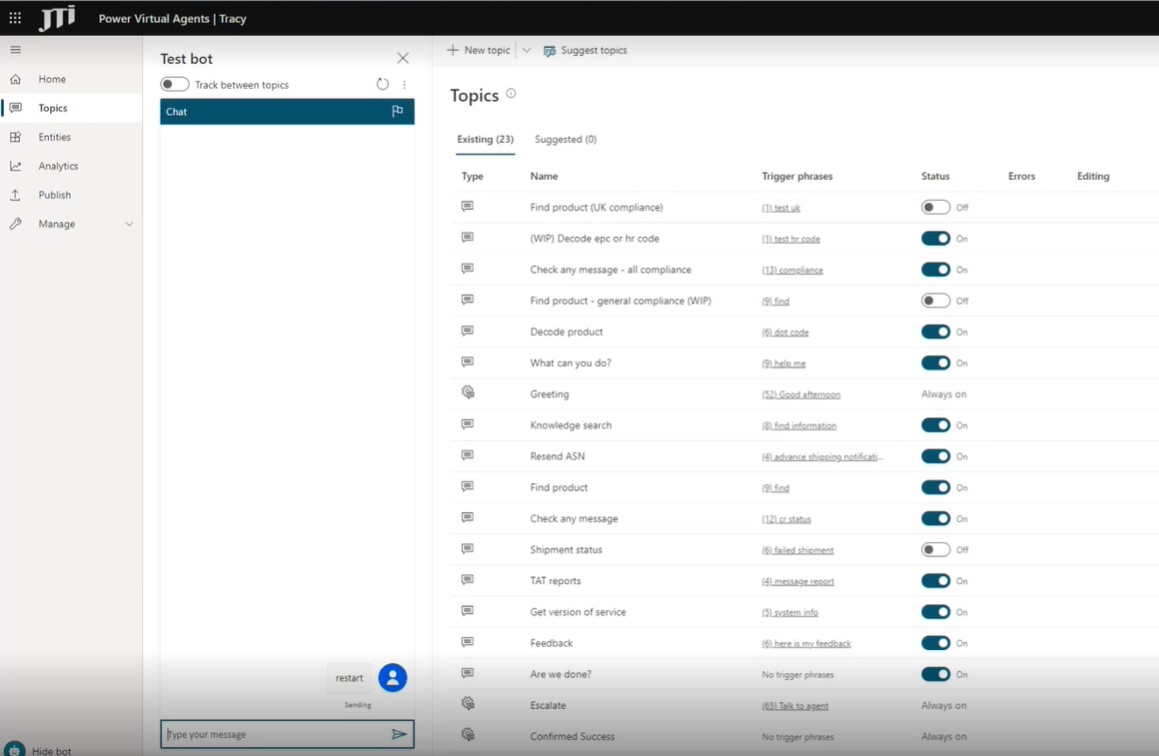
Please see the reference document Tracy Automated Testing for further details.
7.2 Automated tests for CR API (Corporate Repository API)
- We do have autotests for CR API separately.
- Tests are managed in the code repository with CR API: https://dev.azure.com/tsacc-msfwex01-45-TnT/TeamTools/\_git/CR\_API?path=%2Ftests
- Tests are being applied as part of
- Tests are added as new functionality is added to CR API - further tests are added as a part of the same delivery (same branch, PR)
- Creation of new tests are checked as part of PR review and approval.
7.3 Testing of the service
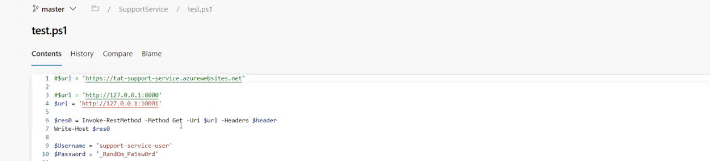
- We have some integration tests checking specifically deployed service: https://dev.azure.com/tsacc-msfwex01-45-TnT/TeamTools/\_git/TeamTools?path=%2FSupportService%2Ftest.ps1
- Tests are executed manually. Technically, they may be automated - but this may be done only after deployment of the service container.
There is also test.py, which is a PowerShell script file, containing several sample usage scenarios for testing the prepared web service. It can be run locally for testing some of Tracy’s services. The User and Password existing in the file is only an example, hard coded for testing.
8 Deployment
In summary, deployment happens by building and pushing the image to the container repository.
When we renew a container with the label “latest”, the container registry, through the “continuous deployment”, initiates the restart of the application using the latest version of the service image.
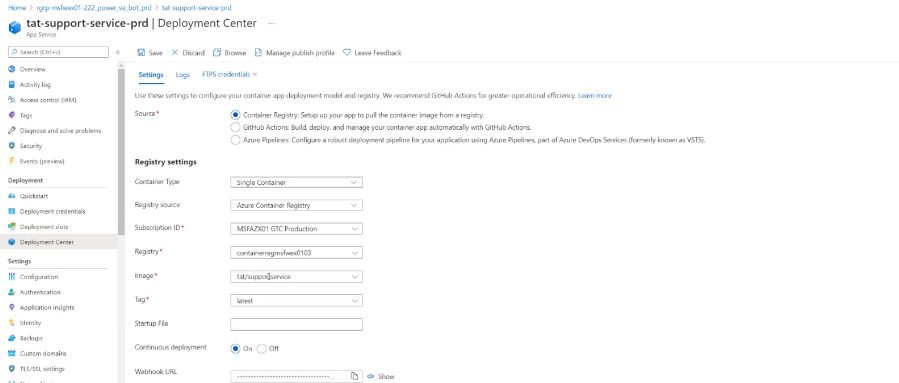
This container-based web application gets created just one time, so it just points to the container which needs to be launched. It has “continuous deployment” enabled with the webhook URL. The release process on Azure pushes the container and then calls the webhook to get this web application to start with the latest version of the Docker or the image. This is one of the last steps in the release part.
If the Tracy Bot is asked “system”, it answers which version it is.

Usually, it is the latest deployed update.

This version of the SupportService is gathered by the trigger event by “commit into master from folder SupportService”
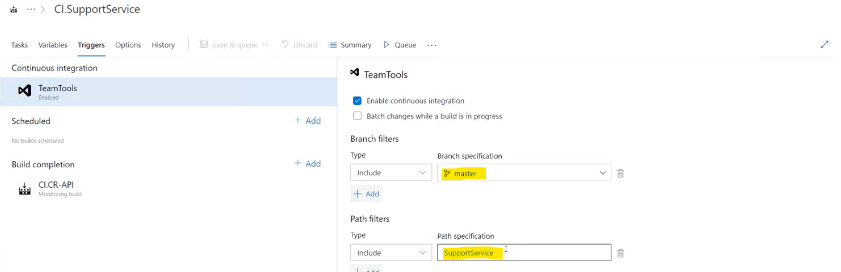
Or when the CR-API gathering is complete. While the CR-API is the main component of the service, when it is regathered - the container “SupportService” should be regathered as well. When the CI.SupportService ends, then the “image” in the Azure is updated.
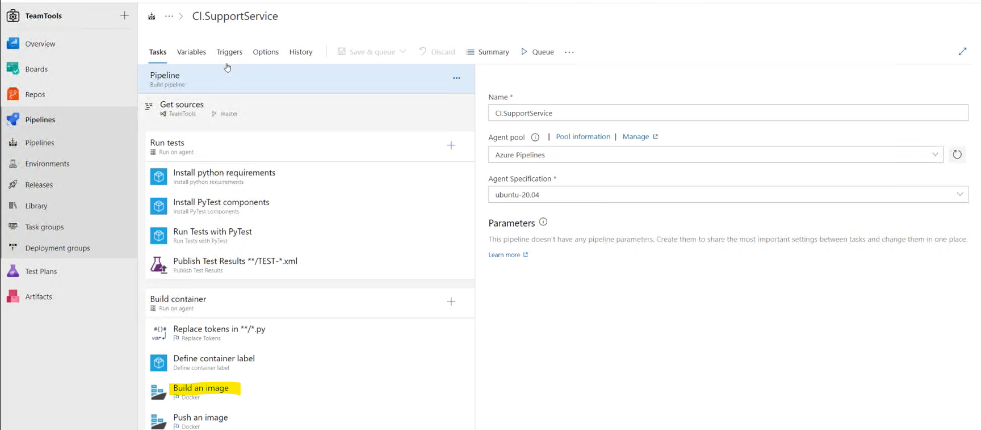
In its turn, it pings redeployment of the “tat-support-service-prd” application, and the “brain” of Tracy is updated. While JTI does not have an appropriate place to gather a Linux container, it is executed on the outside pipelines (agents) of Azure.
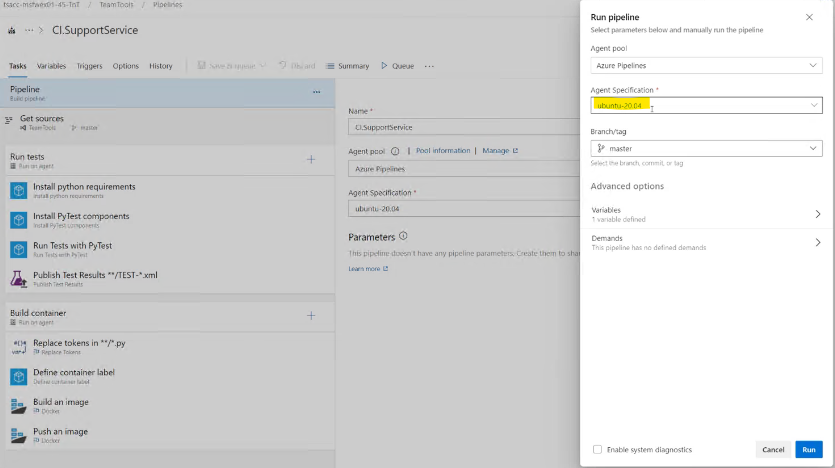
“Run tests” have been copied from the other pipeline. Earlier, here in TeamTools Repository, there was placed CR-API. However, when we moved the CR-API into a separate repository, only the fake tests had been left for these processes not to go down. However, there still is an opportunity to include some auto-service tests.
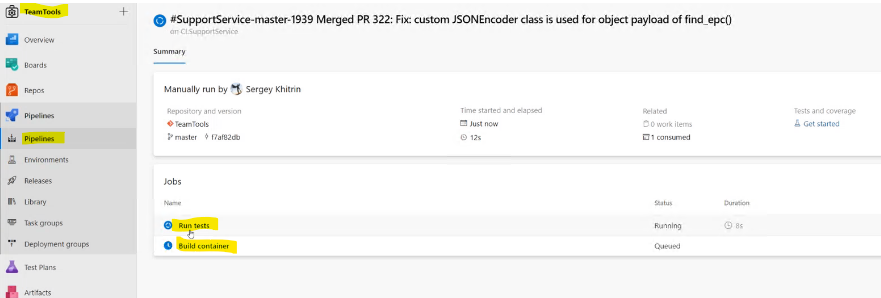
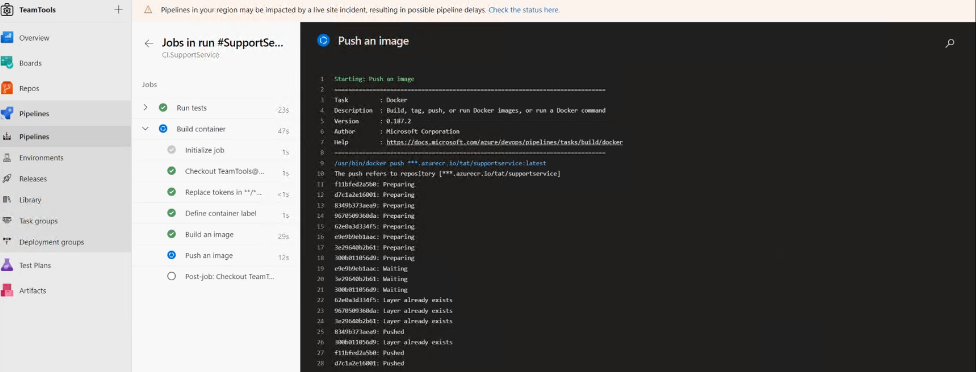
Tests are executed on our local server while the container is gathered in the external server. Of course, everything can also be copied to the repository, gathered locally by means of docker desktop, to see how it works, or take the image as a desktop docker from our container registry. When it ends, the application’s redeployment in Azure. After some short time, when the redeployment is completed, Tracy will tell it has a new version. The cycle of the deployment itself is completely automated.
As to controlling the code, when we look at “teamtools”, the policy is on the “master”. Therefore, everything should be done through “pull request”, which enables testing in a branch, and then when the information is uploaded to “master”, “build” is executed. A developer who applies some changes to the code should test it at the branch first and only then upload the working code to “master”.

The politics of CR-API as the central repository is also connected to “master”. CR-API has its processes. However, testing is full-fledged and can be monitored.
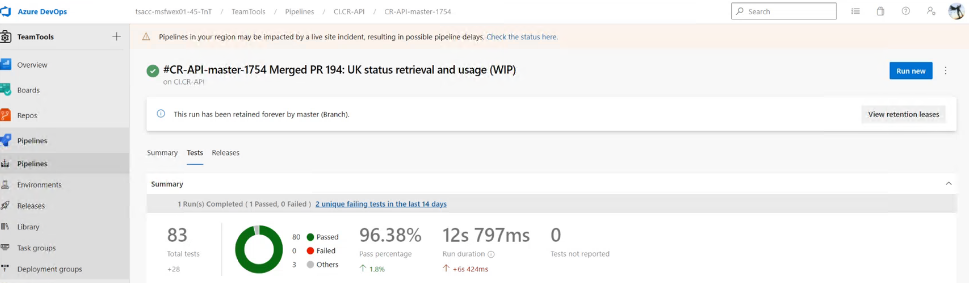
“Build” and “release” are different here.

The file “build” here executes testing and publishing (packing), creating a distributional zip package, a python file, which we can download, upload, or run everywhere we need it.

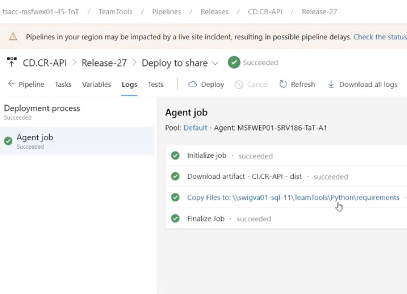
It is saved as an artifact of “build”, and on the next stage, “release”, it is released into two repositories. Firstly, into swigva01-sql-11\TeamTools\Python\requirements, as a file, which we can use in some troubleshooting. Secondly, it is deployed into jti-feed. We can find the files deployed during the “release” in the “Artifacts” pool in Azure by writing “jti” in the search window. From here, they can be uploaded as it is explained in the CR-API documentation.
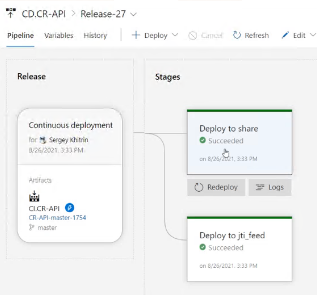
Therefore, when CI.CR-API ends, the pipeline triggers gathering of CI.SupportService, CI.ShipmentReporting (which takes data from the table with unparsed mails, picks the components from CR, and gathers them into a table used for reports).
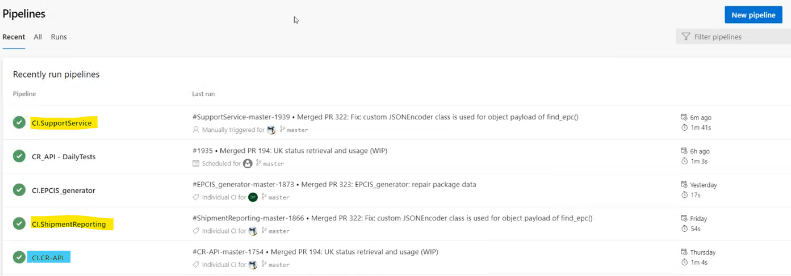
There is also one more project, CI.TracyWeb, runing on CI.SupportService, which does not work yet.
8.1 External dependencies
Requirements are the list of packages essential for running Tracy. These are “std requests”, “flasks”, “gunicorn” (factory web-server), and the CR API.
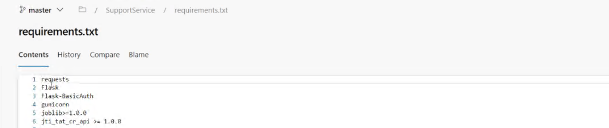
Tracy’s code itself is lightweight, as it mainly relies on the CR-API, in which all the fundamental and practical interactions with the Corporate Repository exist (e.g., search of the PC’s, message check, etc.)
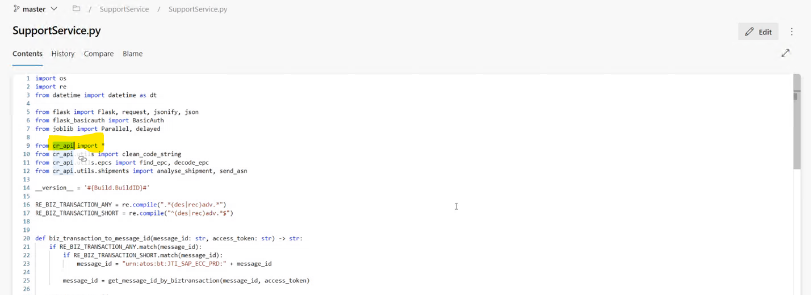
Therefore, all the main logic of the application is packed in the CR API, while SupportService.py is only a different wrapper for it.
8.2 Docker container definition
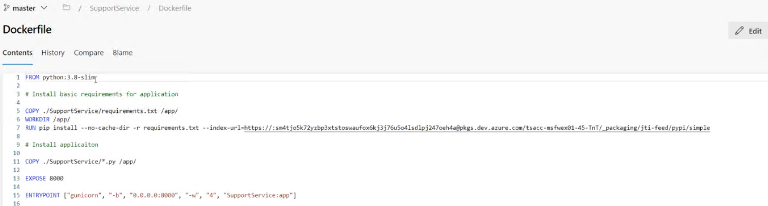
The Tracy support service is run as containerized application based on Docker. The base image “python-slim:3.8” is used for building the final container. Additional requirements and applications are copied as part of the container build. It is easily gathered by copying the requirements, installing the requirements from the Artifact Pool, copying the application, and setting the expose.
8.3 Implementaiton of CI/CD processes
There are API Pipeline and the Pipeline gathering and publishing the Support Service.
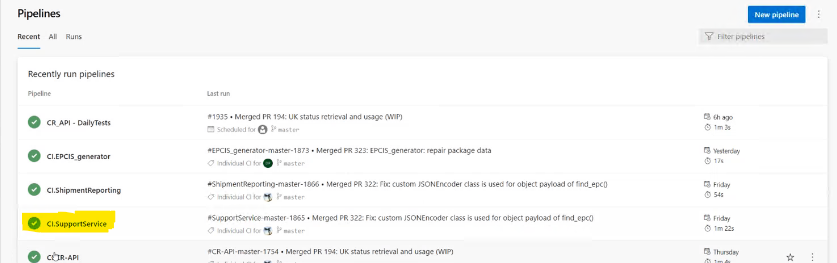
The second one executes easy fake testing. However, the main action happens in the “Build Container” section.
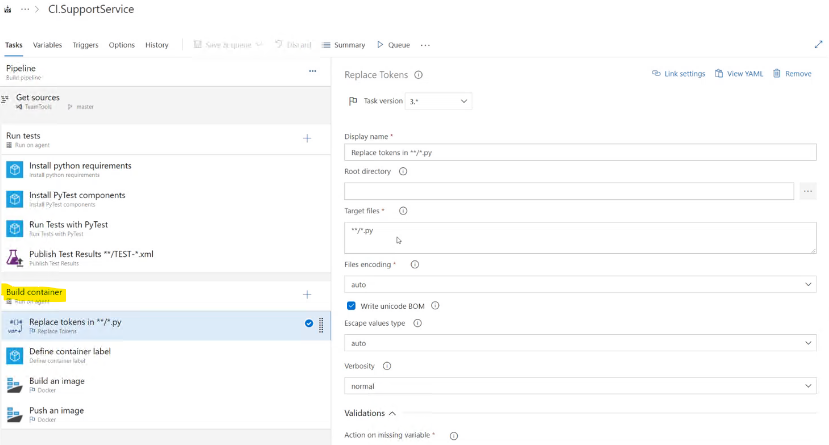
Here we change the templates (replace tokens, include version) in the code. Then we set the container’s label (it is a half-shell script). In case a container is gathered from “Masters” it gets a label “Latest”, and the deployment goes to the productive “latest”. If not, “Master” becomes “BuildSourseBranchName”, which we can use for testing purposes. After that, we use it in building the container and sending it to the container registry.
#Resources
8.4 Azure resources
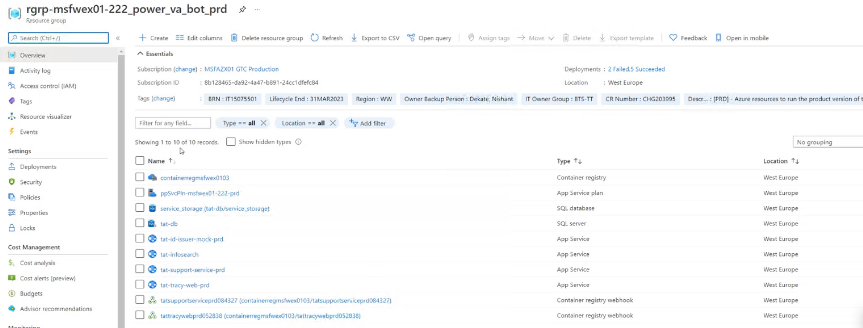
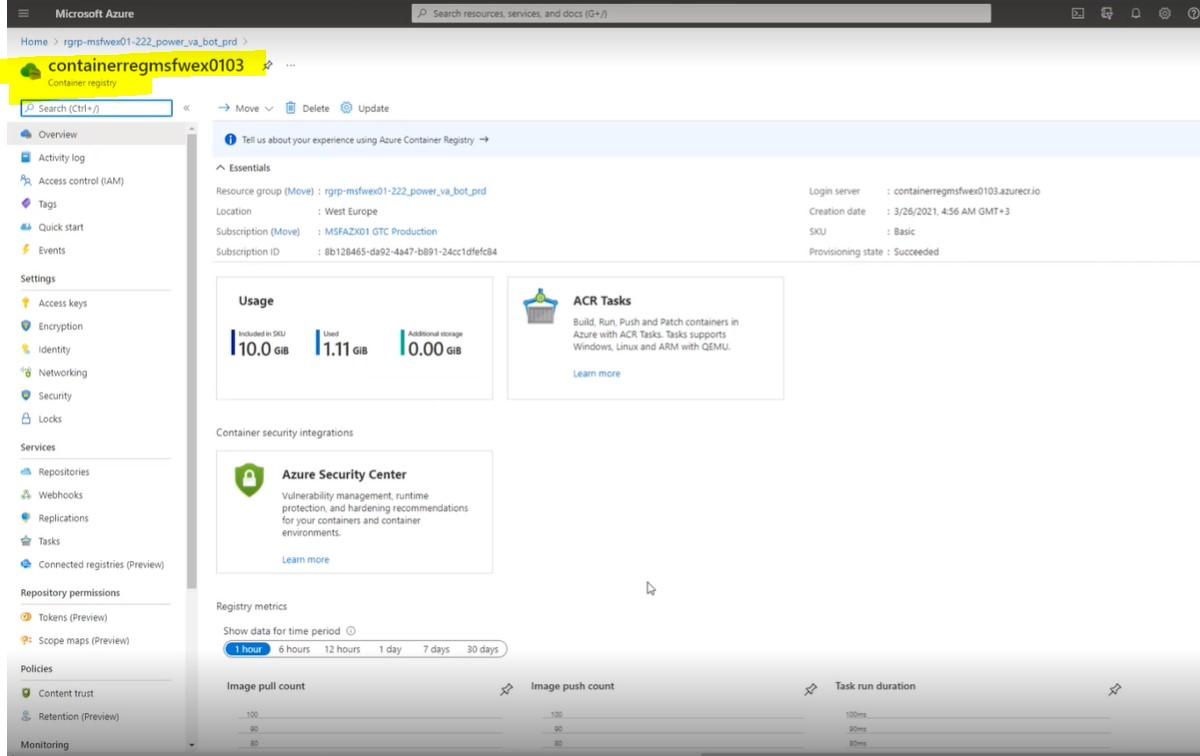
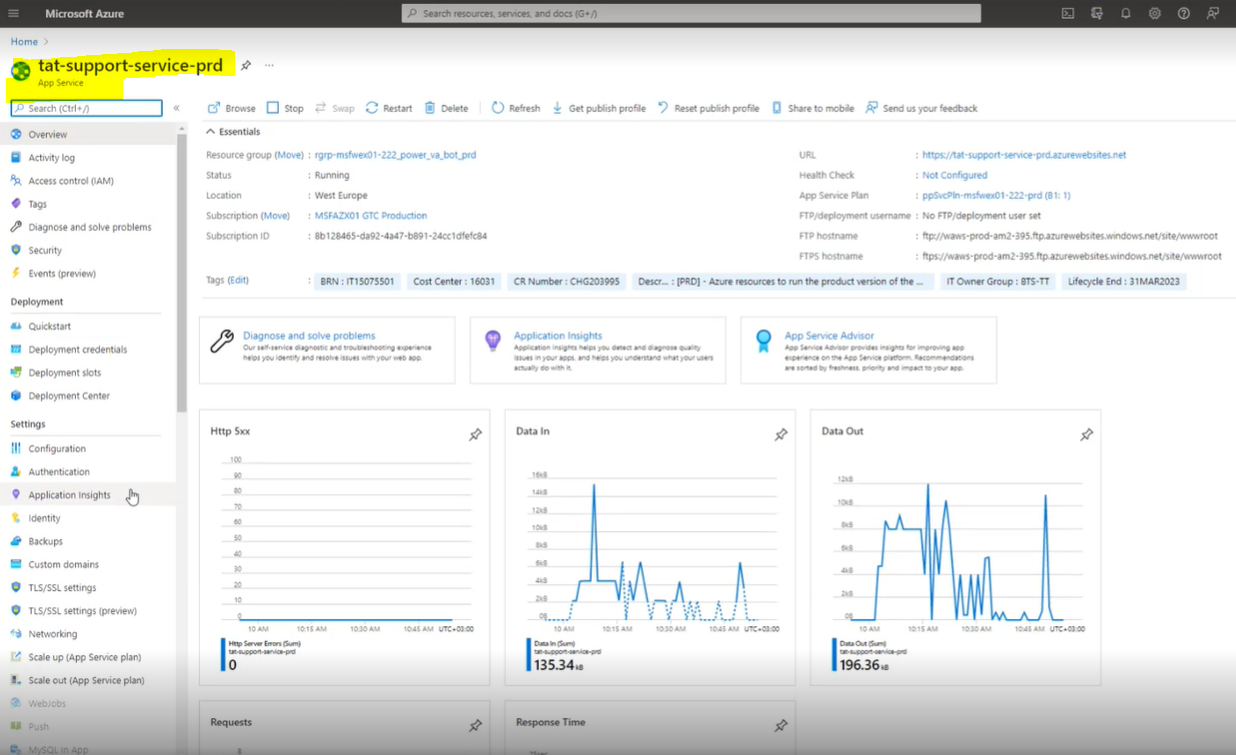
In the resource group, there is a container registry (containerregmsfwex0103), where container images are gathered (should be cleaned regularly), and Web-application (tat-support-service-prd), which runs the container that was gathered before.
8.5 Container Registry and repository
Image for Tracy’s service is stored under the repository “tat/supportservice”. Regular cleanup of the images with the earlier build number is recommended. The image with the label “latest” and label, matching the most recent build number must stay available for the application to work.
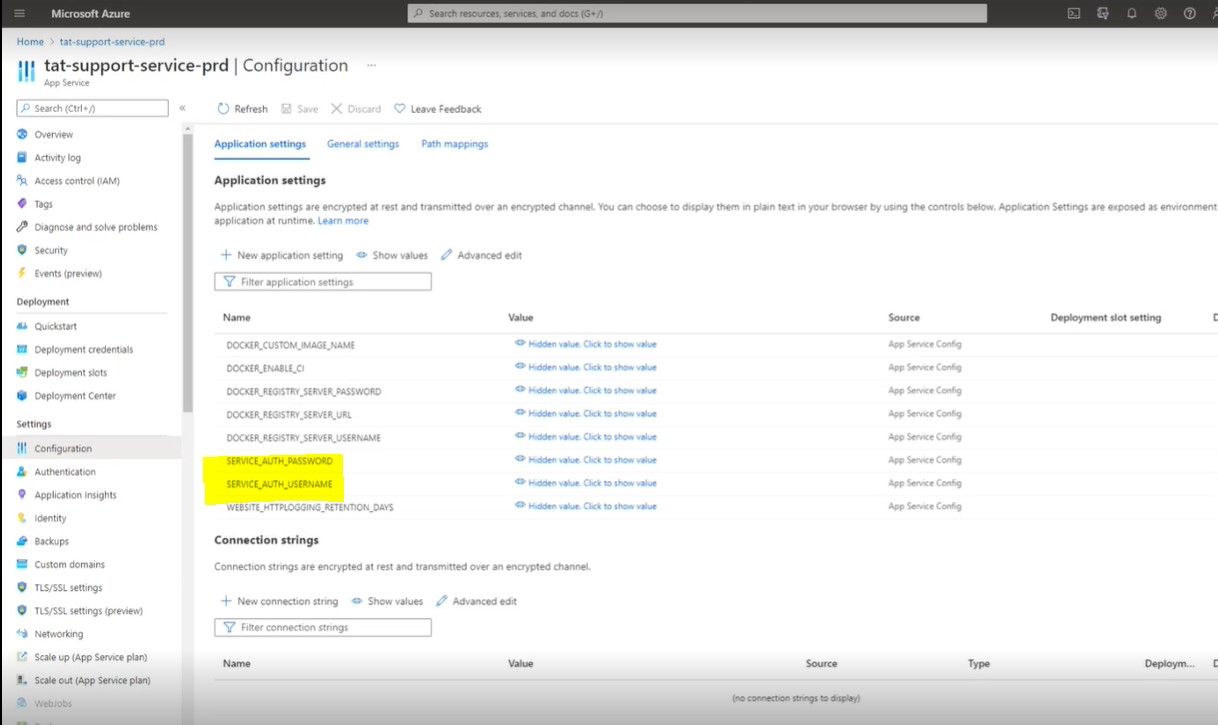
Tracy’s container is exposed as a web application called “tat-support-service-prd”.
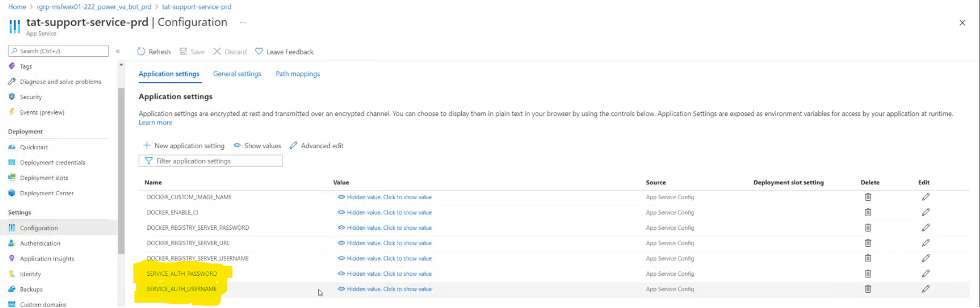
Here there is already the correct UserName and Password. These UserName and Password are also used in the Tracy Bot when it tries to reach its “brain”. Therefore they are different than in the code - they are hard written in the Tracy Bot itself.
8.6 Tracy chat scenario implementation
The Tracy Virtual Agent itself is based on MS Power VA platform; therefore, nothing is connected with DevOps. However, there is a way to pack it for backup or move it to another platform. The project may be loaded into a zip file with all the explanations on how this logic application works.
The keywords that trigger a certain flow of conversation are defined in the “Topics” section. The dialogs of Tracy are divided into topics. Diagrams explain how the key phrases trigger the answers or new questions, which throws the process with the details of questions to Microsoft Flow (a particular component for Power Bots and Power Agents).
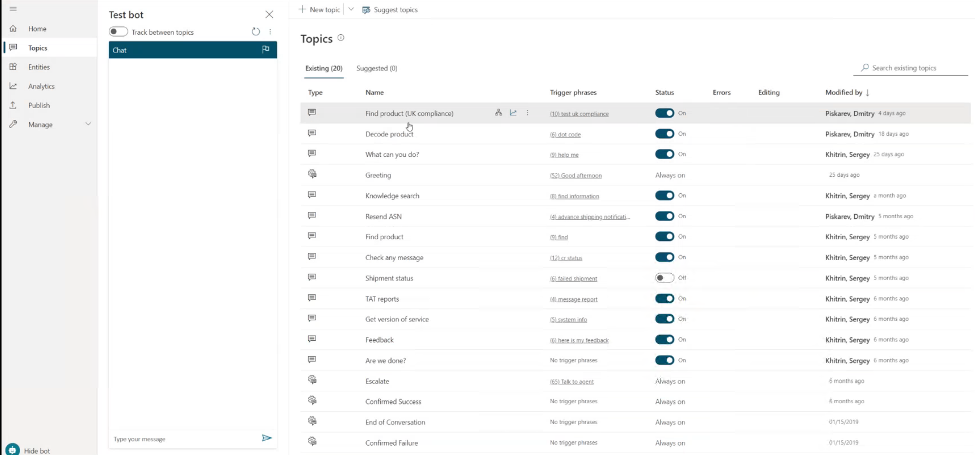
Here is an exemplary flow called “Decode product” as a defined topic. It’s straightforward, and no coding is necessary.
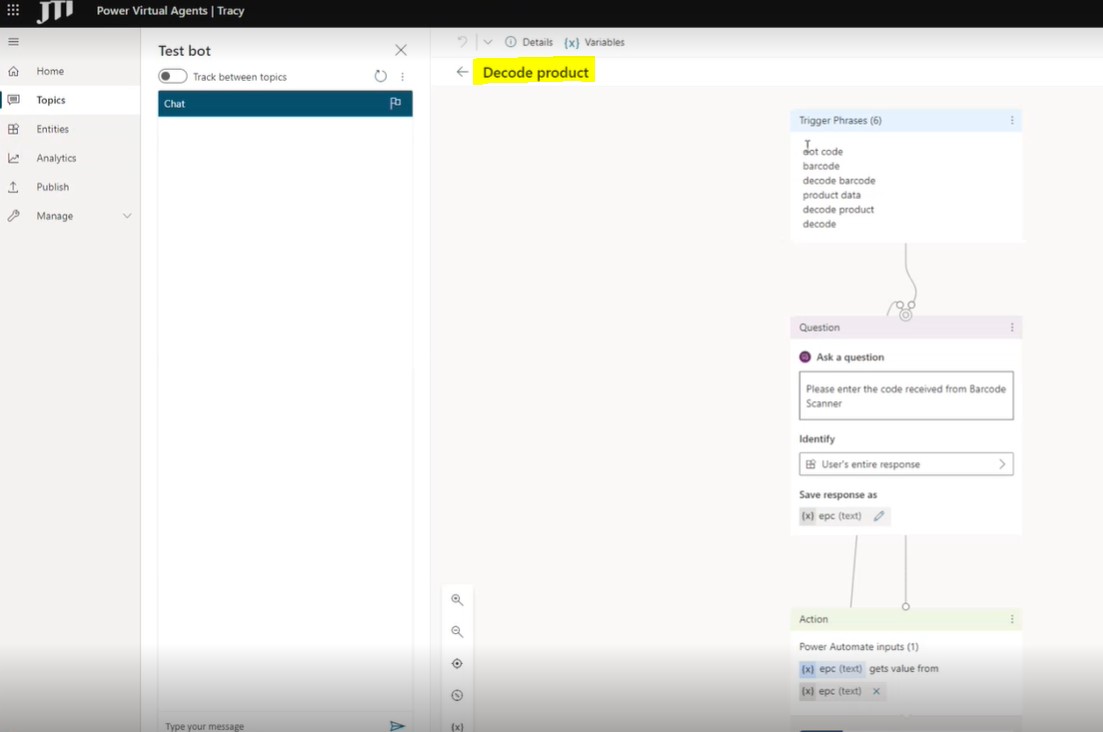
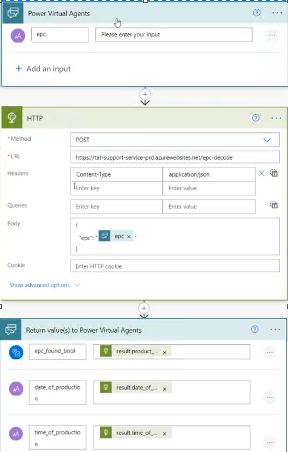
The main function, which talks with the brain, gets something as an input and then pushes something as an output. That part is done using Microsoft Power Automate, and it can be used to observe how the process goes.
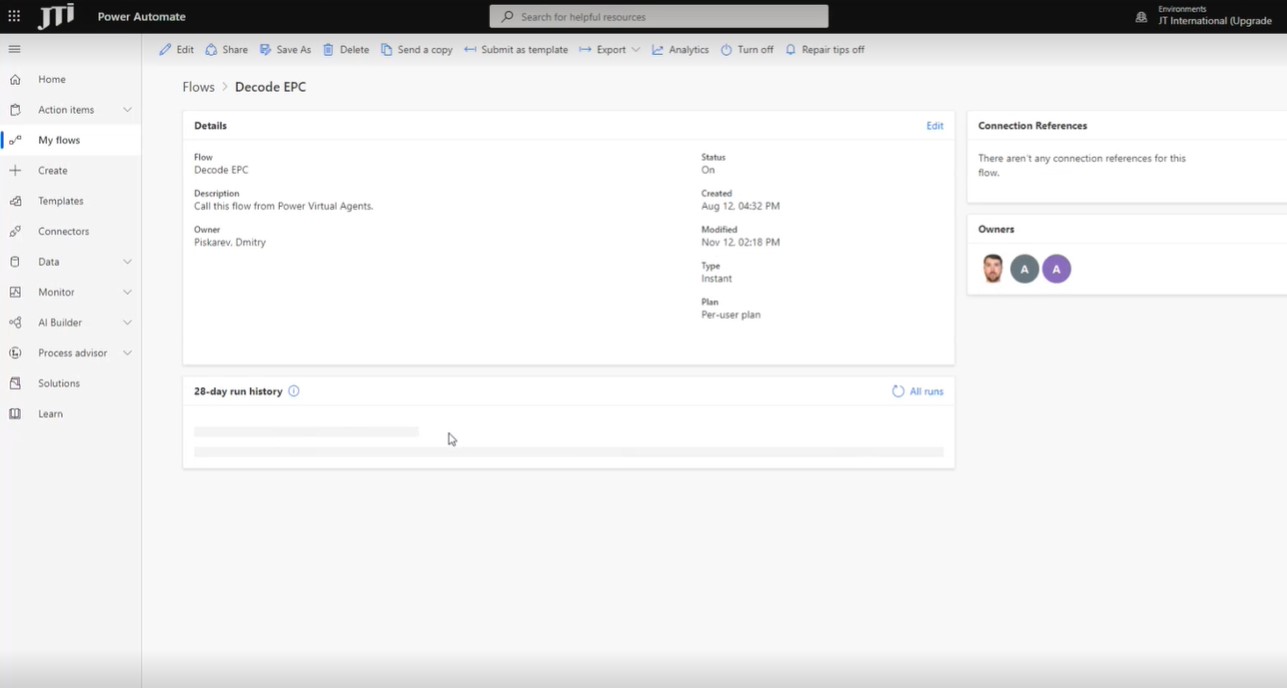
Please note that the process should be published using the MS Virtual Agents platform to make the changes visible to end-users after any type of change.
The logs of the processes are saved there. The flow of the Bots’ dialogs contains three stages:
-
Getting the parameters
-
Calling the service
-
Return value(s) to Power Virtual Agents
This is the whole process of interaction with the “brain” of Tracy. Therefore, the Agent itself is focused on the dialogue and Presentation, while Microsoft Flow is used to get data from any external services. In its turn, inside the Microsoft Flow, some changes may be done, for example, pulling HTTP, writing into Excel, sending messages to Teams, gathering feedback from customers, etc. This part is not covered with any versional or some other control. However, it is not advised to change anything there because currently, the way recommended by Microsoft works with mistakes.
9 Installation and access rights
9.1 Tracy chatbot installation to end user
Tracy could be installed using this link only. (for further information, please refer to “Tracy-introduction” presentation)
If there are any issues related to Tracy, you can create an incident via ITSP with the business application as “JTI-TAT-TracyBot”.
9.2 User permissions and requirements
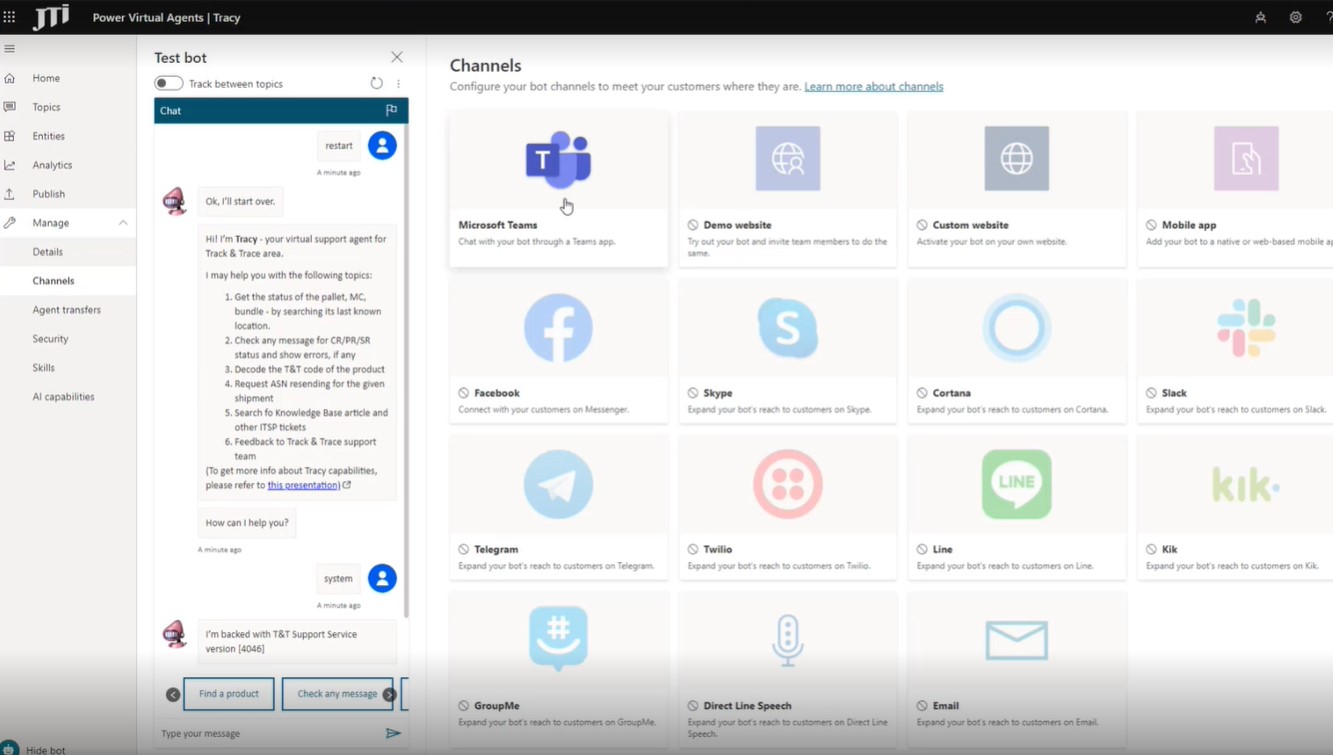
Tracy’s brain defacto is a flask service exposed as a container, and it’s protected by basic authentication (user name and password). It’s being set at the deployment process at the moment. Currently, Tracy is only enabled for MS Teams, and the end-user needs to have access to JTI’s MS Teams to work with Tracy.
Here’s the resource group and the related change request information. Currently, Nishant Dekate is the backup resource owner. 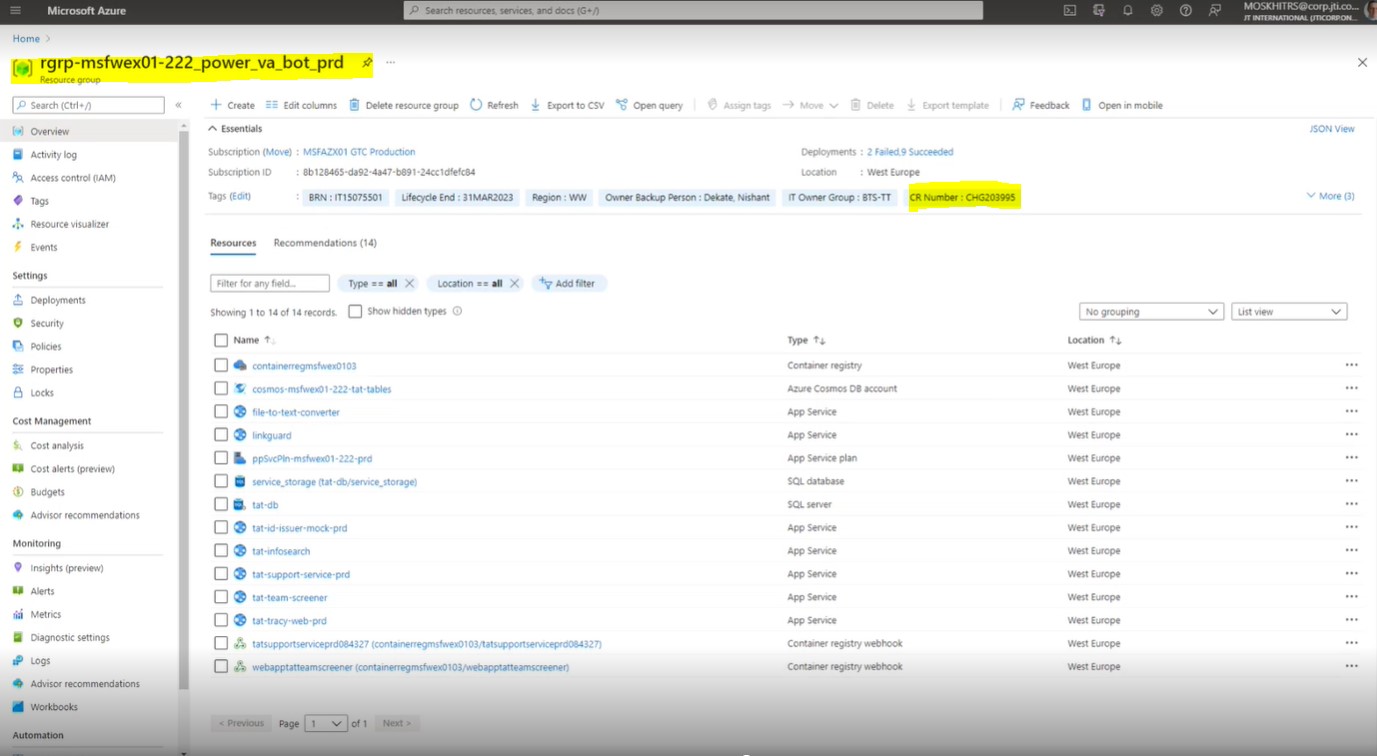
9.3 Access permissions required for development purposes:
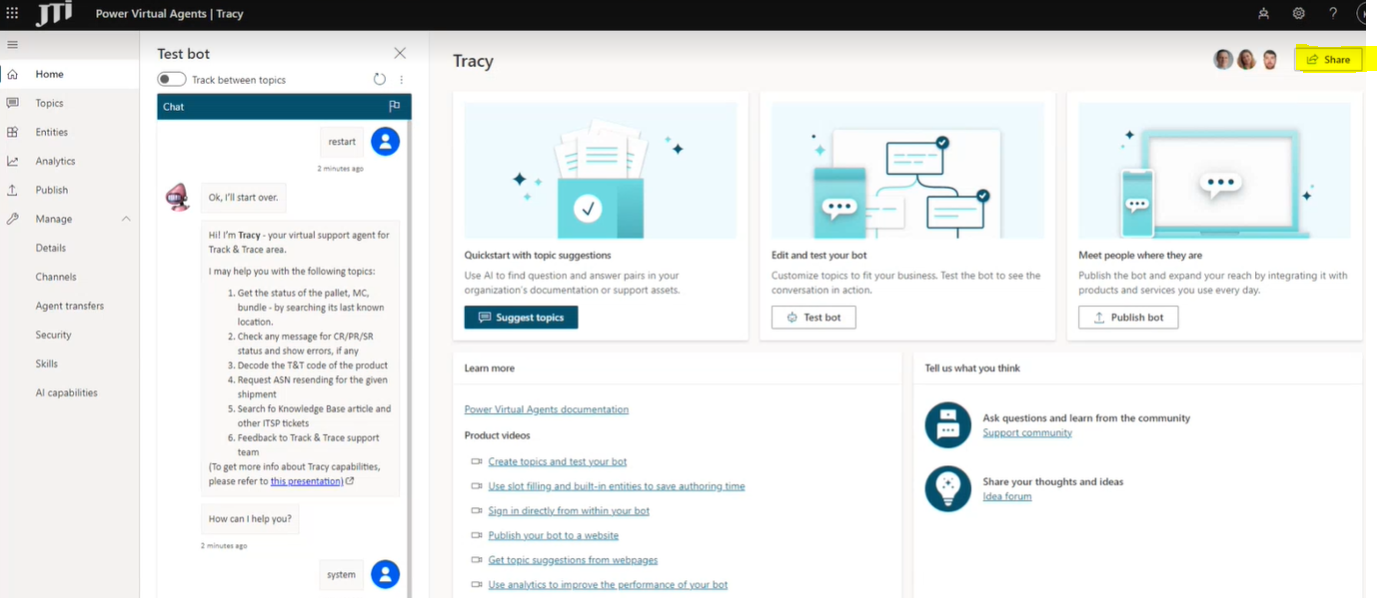
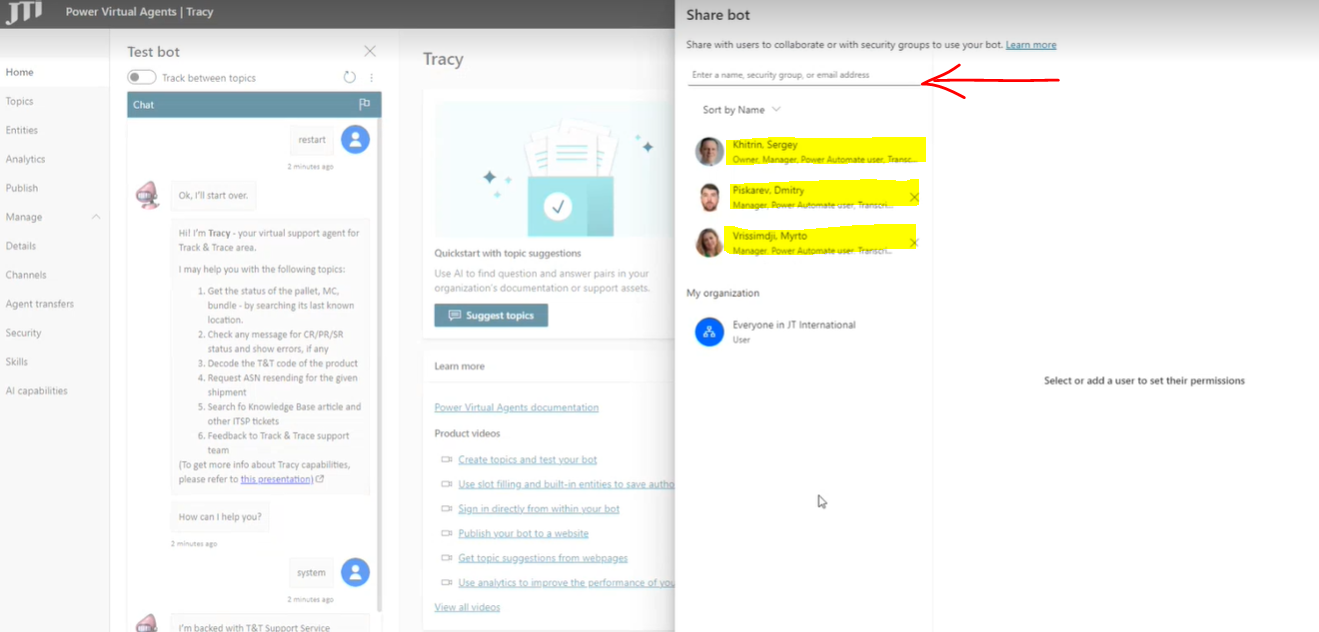
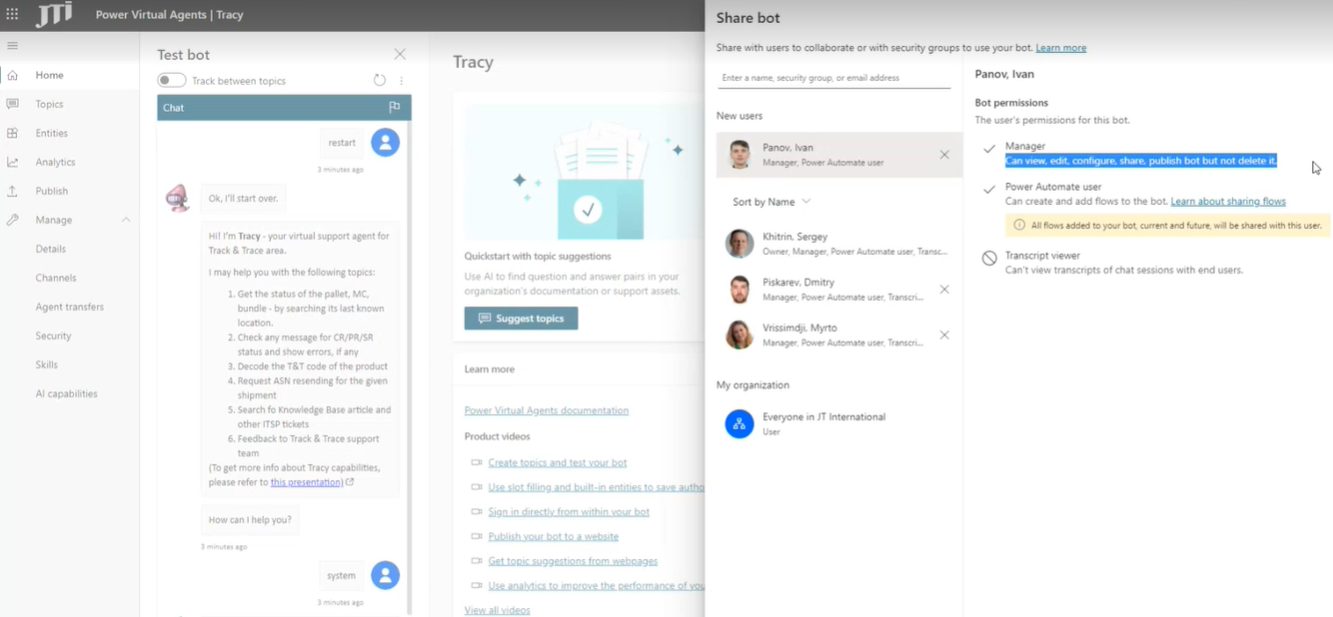
Due to the Power platforms’ operating system, access could be granted by those included in the project. Only the members that have access to Power platforms could grant access to new-coming users. The access for the platform could be given by using the option “Share” on the top right corner of the screenshot below:
10 Development backlog and ideation process
10.1 Ideation process
-
Business-related enhancement requests for TracyBot have to go through T&T Ideation Process.
-
Technical TracyBot enhancements may be directly suggested as ITSP Demands using Track & Trace portfolio and referencing the TracyBot Configuration Item:
JTI-TAT-TracyChatBot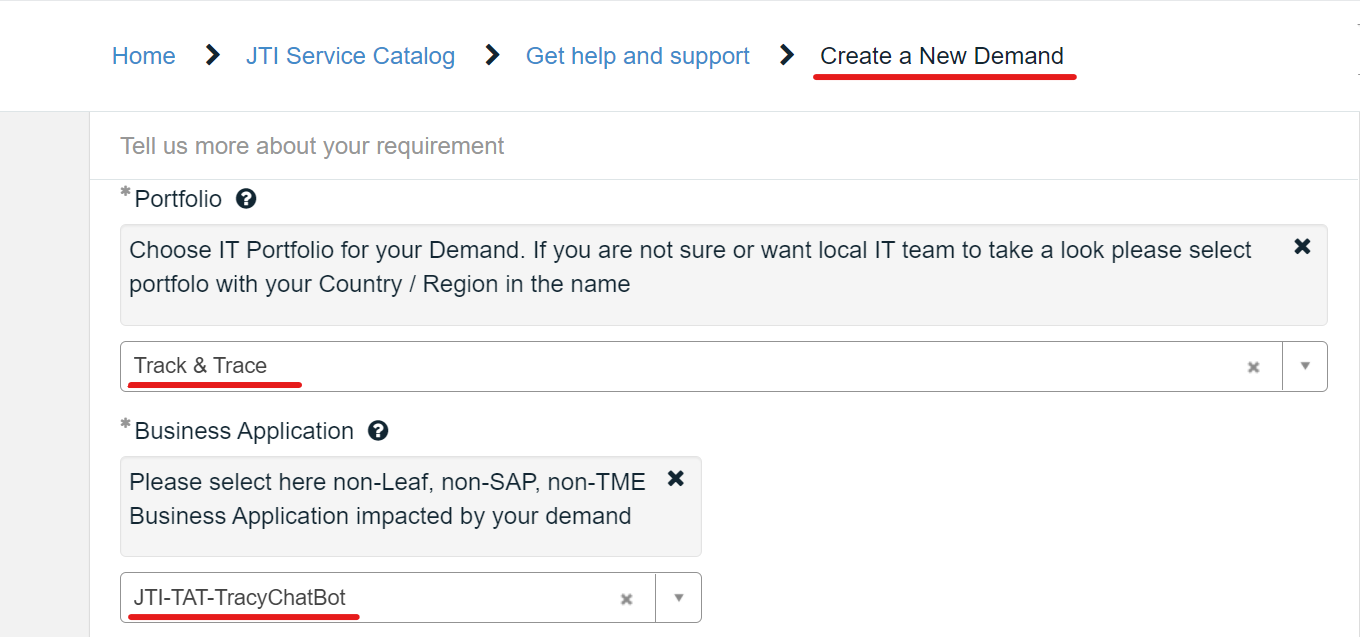
10.2 Technical backlog
The development of TracyBot and its features are followed with the backlog under the TeamTools project.
11 Document control
11.1 Contact person
Questions and feedback regarding this standard should be submitted to Dmitry Piskarev
11.2 Revision History
| Version | Effective date | Purpose of change | Author |
|---|---|---|---|
| 1 | 01-Dec-2021 | First version of the document | Seval Altug |
12 References
References will be added here if necessary.
ANY QUESTIONS?